You've probably Googled Squarespace vs WordPress before, skimmed three articles, and walked away more confused than when you started. One says Squarespace wins. Another swears by WordPress. Most of them list features side by side like a spreadsheet and still don't tell you what to actually pick.
So let's cut through the noise.
The honest answer isn't "Platform X is better." It's "Platform X is better for you, based on what you're actually trying to do." This guide is built around that idea.
Table of Contents
First, a Quick Clarification That Trips Everyone Up
When people say "WordPress," they almost always mean WordPress.org — the self-hosted, open-source version where you own your website completely, choose your own hosting, and install whatever plugins or themes you want.
WordPress.com is a separate, hosted product (run by Automattic ) that restricts your options unless you're paying for higher-tier plans. It's a different product with a different ceiling.
For this comparison, we're talking about WordPress.org vs Squarespace. That's the comparison that actually matters.
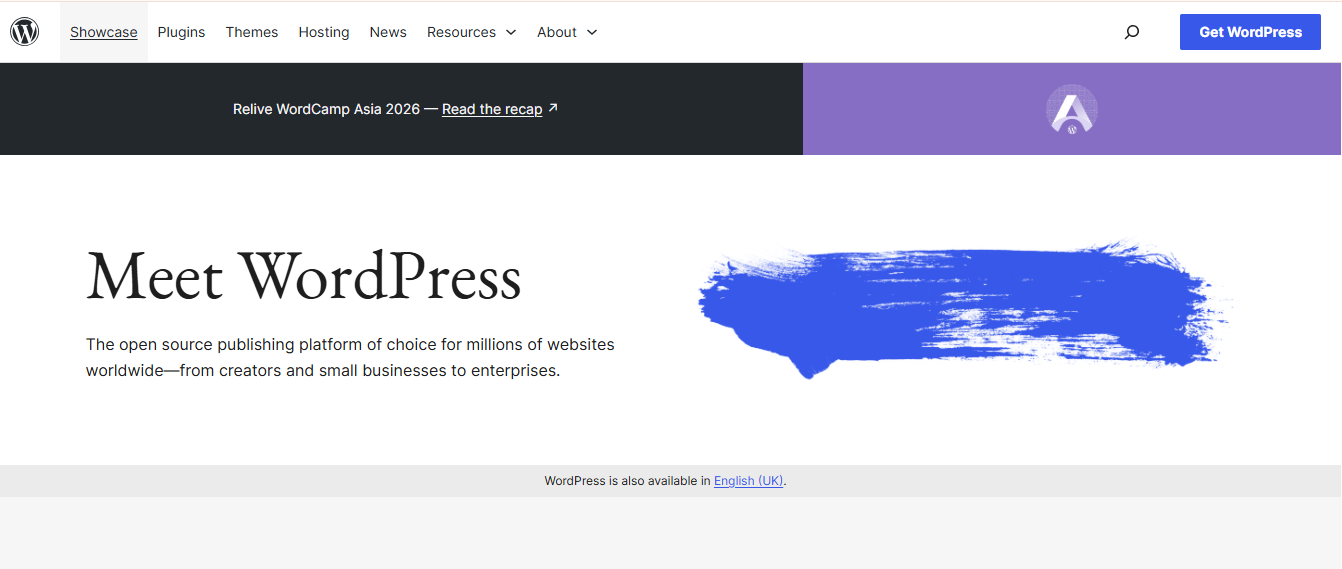
What is WordPress?
WordPress is an open-source content management system (CMS) that started as a simple blogging tool and has evolved into the most widely used website platform.
Today, it powers roughly 43% of all websites on the internet, from personal blogs to Fortune 500 company sites like the NFL, NBC, and CNN.
The platform offers a lot of freedom to users. You manage your hosting, handle updates, maintain security, and troubleshoot plugin conflicts.
What is Squarespace?
Squarespace is an all-in-one, hosted website builder founded in 2004. Unlike WordPress, it's a closed, proprietary platform — you pay a monthly subscription, and Squarespace handles everything: hosting, security, software updates, SSL, and the website builder itself.
Squarespace's philosophy is simplicity through constraint. It deliberately limits how much you can break and how much you can customize.
That trade-off works exceptionally well for a specific type of user: someone who wants a professional online presence without needing to learn web development.

Quick Comparison
| Squarespace | WordPress | |
|---|---|---|
| Best for | Creatives, small businesses, solopreneurs | Scalable sites, SEO-heavy content, complex builds |
| Ease of use | ⭐⭐⭐⭐⭐ | ⭐⭐⭐ |
| Design quality | ⭐⭐⭐⭐⭐ | ⭐⭐⭐⭐ |
| Flexibility | ⭐⭐⭐ | ⭐⭐⭐⭐⭐ |
| SEO power | ⭐⭐⭐ | ⭐⭐⭐⭐⭐ |
| Pricing clarity | ⭐⭐⭐⭐⭐ | ⭐⭐⭐ |
| Long-term scalability | ⭐⭐⭐ | ⭐⭐⭐⭐⭐ |
Now let’s examine each difference in greater detail, one at a time.
A Detailed Comparison of Squarespace vs WordPress
Let’s look at the core areas where Squarespace and WordPress differ, starting with ease of use.
1. Ease of Use: The Real Difference Is Who's Driving
Squarespace was built from the ground up for non-developers. You pick a template, drag content blocks around, click to edit text, and publish. Even accessing your site through the Squarespace log in is straightforward. There's no FTP, no hosting configuration, no database — none of it.
For someone running a business who just needs a clean website live by Friday, this is an enormous advantage.
WordPress has a steeper learning curve. The Gutenberg block editor has improved significantly over the years, but the backend dashboard — with its menus, settings panels, and plugin configuration pages — can feel overwhelming at first.
At some point, most WordPress users end up tweaking CSS or digging into settings they didn't expect to deal with.
The flip side? Once you learn WordPress, you can do almost anything with it. There's no ceiling.
Bottom line: If you're building and managing the site yourself with no developer support, Squarespace will cause significantly less friction — especially in the first few months.
2. Design & Templates: Stunning Limitations vs Infinite Possibilities
Squarespace has built its brand on design quality, and that reputation is earned. Its Squarespace website templates are polished, conversion-friendly, and visually consistent.
The Fluid Engine editor makes layout customization more intuitive than it used to be. You can build a genuinely impressive-looking website without touching a line of code
The constraint? Around 140 templates, and you're working within the boundaries of the platform. Squarespace is, as one observer put it, "very hard to build an ugly website on — but also very hard to build a highly unique or complex functional application."
WordPress offers access to over 30,000 themes, ranging from free to several hundred dollars. Pair that with a page builder like Elementor, and the design possibilities are close to unlimited.
The trade-off is that with unlimited options comes the need for better judgment — it's easier to build something that looks inconsistent or cluttered.
Bottom line: For most small businesses and creatives, Squarespace's design quality is genuinely excellent. For custom, brand-specific, developer-built experiences, WordPress wins.
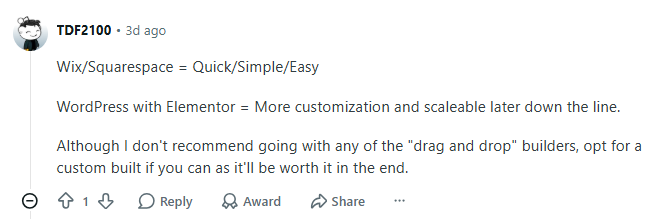
Here is a Reddit user sharing their thoughts on Squarespace and WordPress, while also noting that custom web development can be a great option for those with more specific needs.
Source: Reddit
3. Features & Flexibility: The Gap Is Wider Than You Think
This is where the platforms diverge most sharply.
Squarespace includes a solid set of built-in tools: analytics, appointment scheduling (via Acuity), email campaigns, memberships, social media integration, and even podcast hosting. For a small business owner, this is enough to run a professional online presence without ever installing a third-party tool.
WordPress's plugin ecosystem is a different category entirely. There are over 61,000 free plugins in the official directory alone, and the real number, including plugins sold independently, likely exceeds 70,000.
Want a membership platform? There's a plugin. Want multilingual support, complex forms, custom post types, advanced caching, or affiliate tracking? There's a plugin for each.
Squarespace, by contrast, has roughly 40 extensions. If the platform doesn't support something natively, there's no workaround. You cannot modify core functionality or install third-party plugins. That's not a knock on the product — it's a deliberate design choice that keeps the platform stable and easy to maintain.
Bottom line: For standard business websites, Squarespace's features are enough. The moment you need anything outside that scope — custom integrations, complex workflows, advanced monetization — WordPress is the only viable option.
4. SEO: Not as Equal as Some Would Have You Believe
Both platforms allow you to edit page titles, meta descriptions, URLs, image alt text, and site structure. Both support blogging. Both are technically capable of ranking well in Google.
But the ceiling is very different.
WordPress, with plugins like Yoast SEO (13+ million active installs) or Rank Math, gives you control over every SEO signal that matters: schema markup (20+ types), XML sitemaps, redirect management, Google Search Console integration, breadcrumb control, canonical tags, and more — all without leaving your dashboard.
Squarespace covers the basics. It's improved its SEO tools meaningfully, and it now includes AI-assisted tools to scan for missing content and generate SEO-friendly copy (working with a Squarespace SEO expert can help bridge some of its limitations). But it doesn't support third-party SEO plugins and advanced technical SEO.
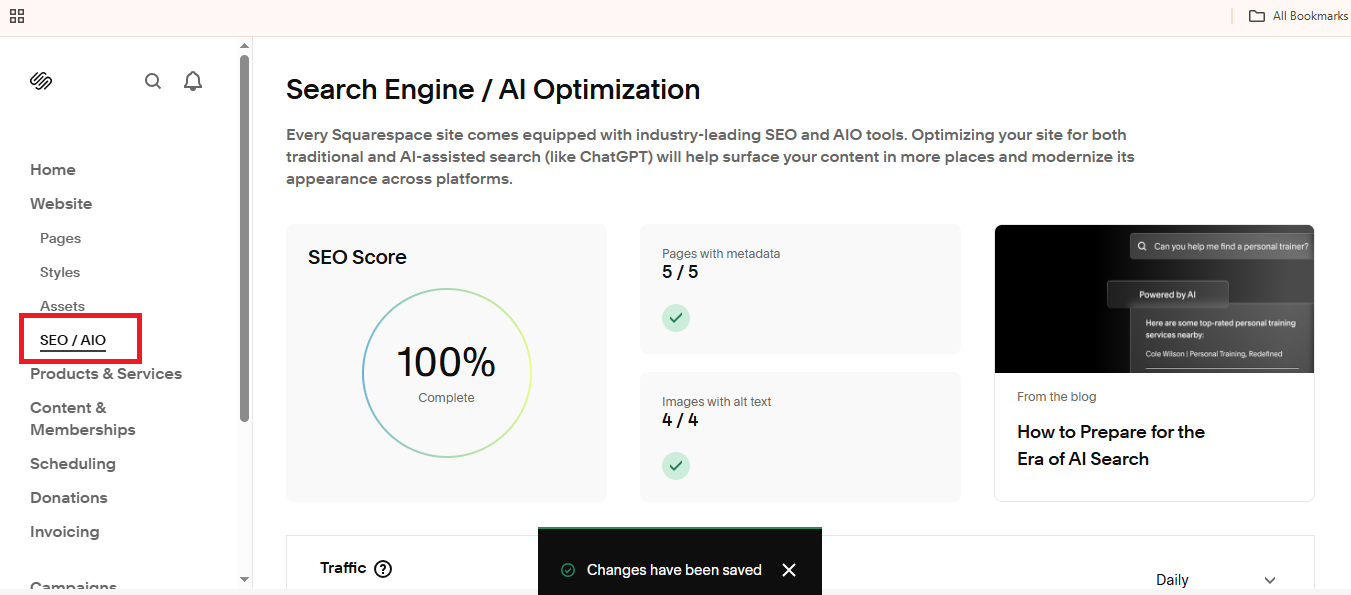
Bottom line: For basic SEO, both platforms work. For competitive industries where technical SEO matters, WordPress gives you a meaningful edge.
5. eCommerce: Depends Entirely on Your Scale
Squarespace Commerce is genuinely capable for small-to-medium online stores. You get inventory management, abandoned cart recovery, subscription products, and clean checkout flows.
Plans start at $7/month (billed annually) for basic commerce features. It's polished, integrated, and requires zero technical configuration.
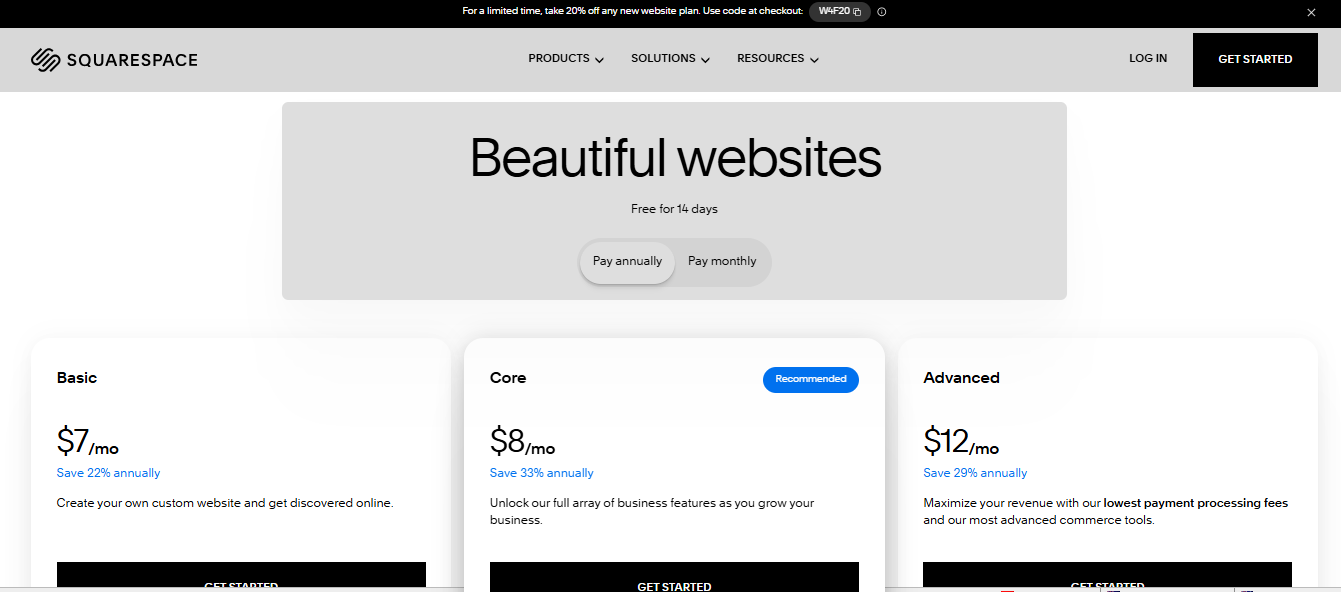
The limitation: transaction fees on lower-tier plans, a narrower selection of payment gateways, and fewer customization options as your store grows.
WooCommerce on WordPress is the most widely used eCommerce platform in the world. It's free to install, deeply customizable, and scales from a 10-product boutique to an enterprise-level store.
The trade-off: WooCommerce requires more setup, ongoing maintenance, and occasional plugin compatibility management.
Bottom line: For a simple, well-designed shop with under a few hundred products, Squarespace Commerce is a legitimate option. For anything more complex, WooCommerce on WordPress is the better investment.
6. Security & Maintenance: Managed vs. Your Problem
With Squarespace, security is handled for you. SSL certificates, DDoS protection, web application firewalls, and automatic updates — all managed by the platform. You don't think about it.
With WordPress, security is your responsibility — or your host's. Plugins and themes account for 96% of WordPress vulnerabilities. This doesn't mean WordPress is inherently insecure — managed WordPress hosting providers handle much of this automatically.
Bottom line: If you hate thinking about software updates and security patches, Squarespace is a genuine quality-of-life advantage. WordPress on managed hosting (Kinsta, WP Engine, Cloudways) narrows this gap significantly.
7. Support: One Has It, One Doesn’t
Squarespace Support provides 24/7 email and live chat, along with a comprehensive help center and free webinars. When something breaks, you can talk to a person. WordPress has no official support. What you get is a massive community — forums, tutorials, YouTube walkthroughs, developer documentation — and a global ecosystem of freelancers and agencies who specialize in the platform. The resources are excellent, but finding the right answer requires more initiative.
Bottom line: If you want hand-holding when something goes wrong, Squarespace has a clear advantage. If you're comfortable learning independently (or have a developer), the WordPress community is one of the richest knowledge bases on the internet.
Who Should Actually Choose What?
Choose Squarespace if:
- You're a solopreneur, freelancer, or small business owner managing your own site
- Design quality matters, and you want to look polished without hiring a developer
- You want predictable monthly costs with no technical overhead
- You're building a portfolio, service business site, or small online store
- You want to live in days, not weeks
Choose WordPress if:
- You need SEO as a core growth channel and want maximum technical control
- You're building an eCommerce store with plans to scale
- You need custom functionality that goes beyond standard business needs
- You have a developer on your team, or are willing to hire one
- You want to own your platform fully — no lock-in, no dependency on a vendor's roadmap
The pattern you'll notice: Many businesses start on Squarespace, outgrow it, and migrate to WordPress. That migration isn't painful to do once, but doing it three years into a site's life when you have hundreds of blog posts and product pages is more work than just starting on the right platform.
The Question Nobody Asks but Should
Do you have ongoing technical support?
This is more important than any feature comparison. If the answer is no — no developer, no agency, no technically-inclined team member — then WordPress's power is theoretical. You'll spend time managing the platform instead of growing your business, and the value proposition shifts entirely toward Squarespace.
If the answer is yes, or if you're working with a web agency, WordPress's ceiling becomes your ceiling. And that's a very high ceiling.
Final Takeaway
Neither platform is universally better. They're built for different people with different needs.
Squarespace is the right tool when simplicity, speed to market, and design quality are the priorities, and when technical maintenance isn't something you want to think about.
WordPress is the right tool when SEO, scalability, customization, and long-term ownership matter more than convenience, and when you have the support structure to use it well.
The wrong decision isn't picking the "lesser" platform. The wrong decision is picking the platform that doesn't match how you actually work and what you actually need.
Need help deciding which platform is right for your business — or looking for a team to build and manage it for you? Get in touch with us today!
Disclaimer: This is not a sponsored or promotional blog post. All recommendations and insights are drawn from our team’s direct experience.
Frequently Asked Questions
To log in to your Squarespace account, simply visit the Squarespace login page. Enter your email address and password associated with your account to access the website builder and manage your site.
Squarespace offers customer support through various channels. You can reach out to Squarespace customer service via their 24/7 live chat, email, or access their extensive help center.
When comparing Squarespace vs Wix, the main difference lies in flexibility and ease of use. Wix provides more customization options with drag-and-drop features, while Squarespace is known for its high-quality, ready-to-use templates and design consistency.
If you’re looking for Squarespace alternatives, platforms like Wix, Weebly, and WordPress might offer different features that suit your needs. These alternatives can provide more flexibility, different pricing options, or features such as more extensive e-commerce capabilities.
To hide a section in Squarespace (2025 version), navigate to the page where the section is located. Open the page editor, select the section you want to hide, and use the visibility settings to hide it from the public view. This feature is useful when you want to temporarily remove content without deleting it.
Squarespace’s templates are built with responsive web design in mind. This means your site will automatically adjust to different screen sizes, ensuring it looks great whether on a desktop, tablet, or smartphone. If you’re looking for responsive web design services, Squarespace provides these features without additional plugins.
To remove a store from Squarespace, log in to your account and navigate to the Commerce section in your dashboard. Here, you can disable the online store feature or delete specific store pages. If you need to fully deactivate your e-commerce store, you can contact Squarespace support for further assistance.