If you think your business could benefit from AI workflow automation, you’re going in the right direction.
Almost 50% of marketers say they use automation to make marketing processes more efficient, and 93% of marketers report using automation for admin tasks, according to the HubSpot State of Marketing Report, 2026.
But what tasks or processes can you optimize in your business? You’ll find an answer below.
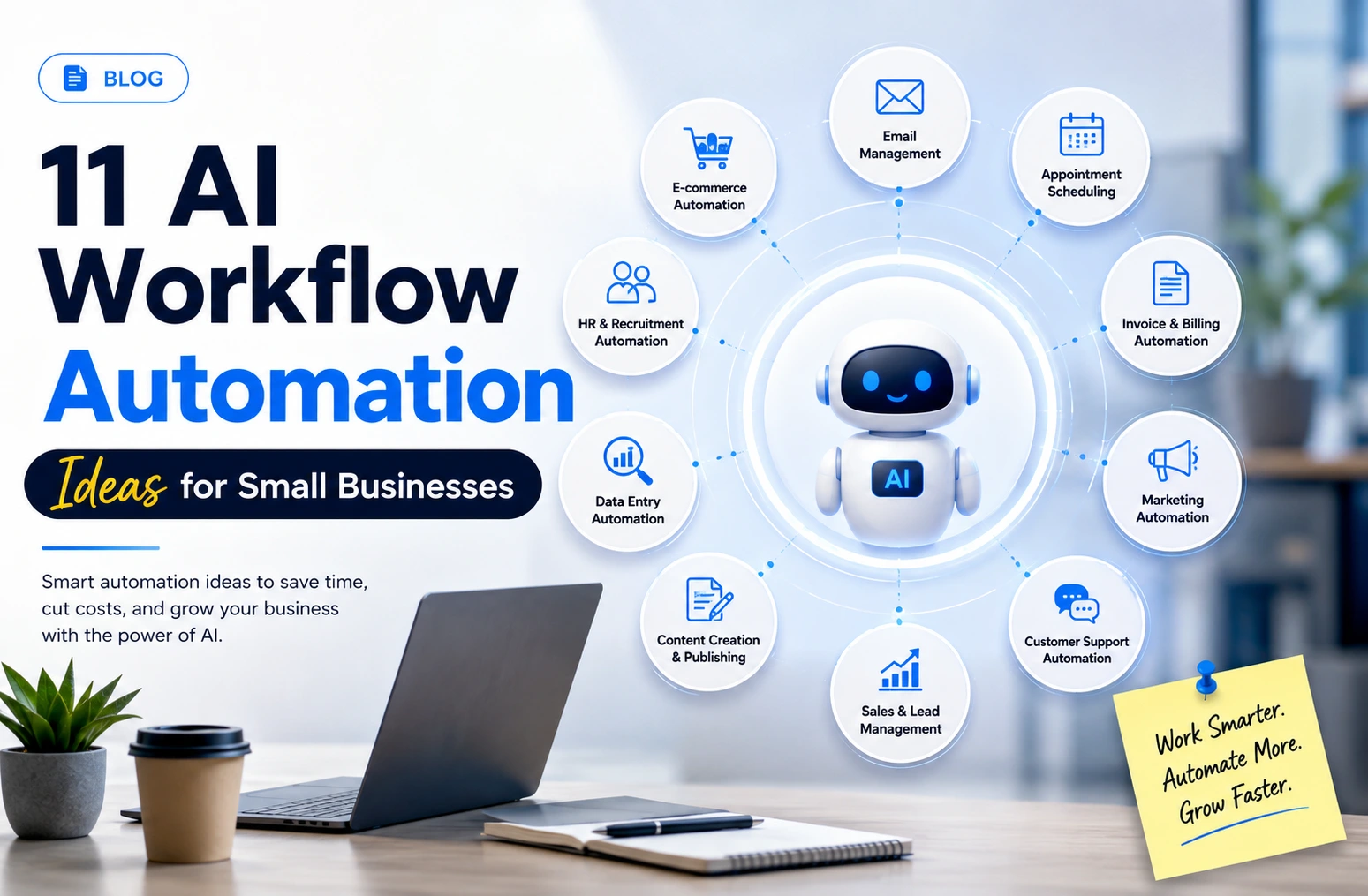
In this article, we have listed the top 11 AI workflow automation ideas for small businesses that are practical and focus on improving efficiency. We have also included a sample workflow for each idea to help you understand better.
Table of Contents
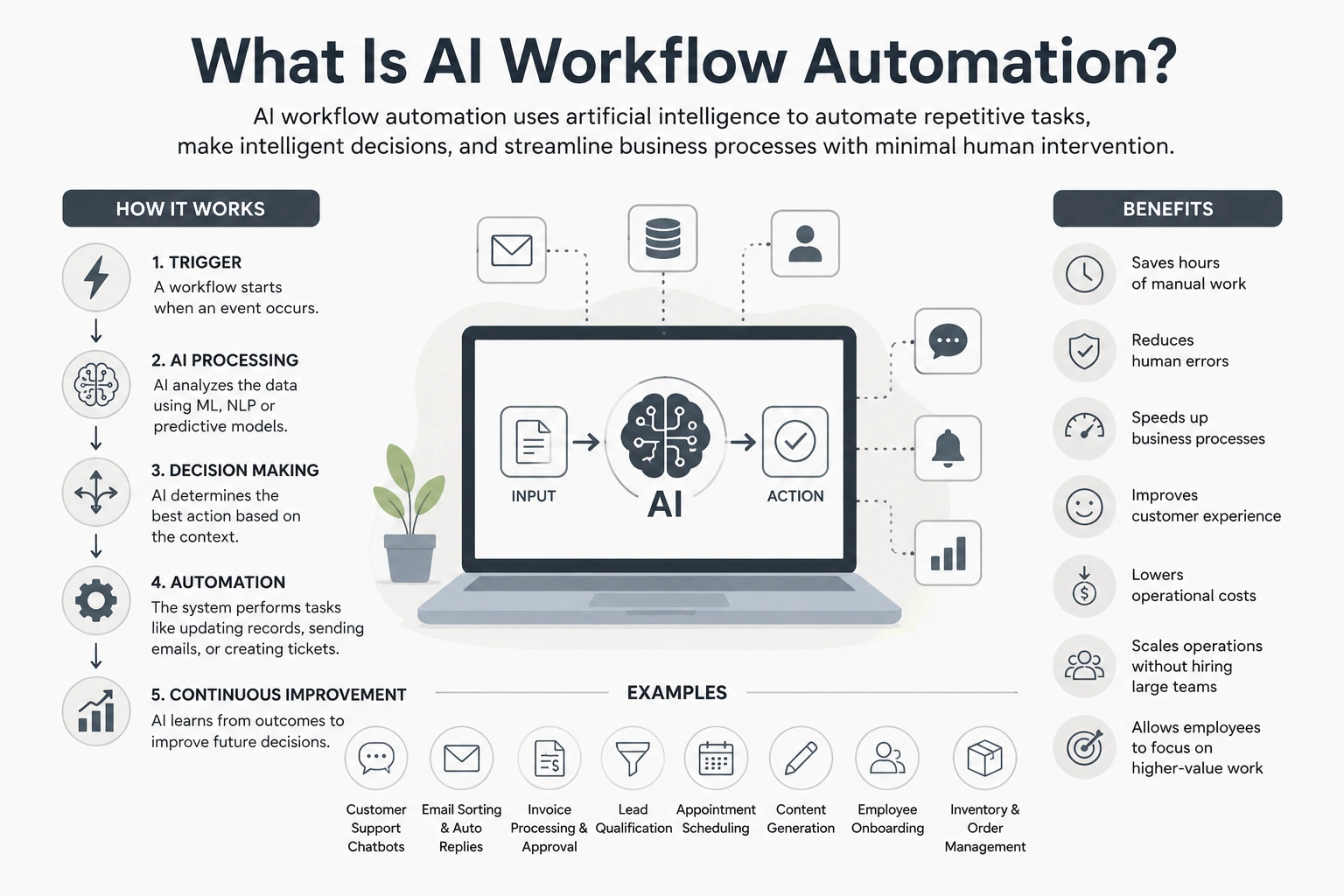
What Is AI Workflow Automation?
AI workflow automation uses artificial intelligence to complete or support repetitive steps and trigger actions across connected business tools with minimal manual effort.
For example, an AI support bot can understand a customer’s question, retrieve an approved answer, respond automatically, update the support ticket, or escalate a complex case to an employee.
Klarna reported that its AI customer-service assistant handled two-thirds of its support chats during its first month, including requests related to refunds and returns.
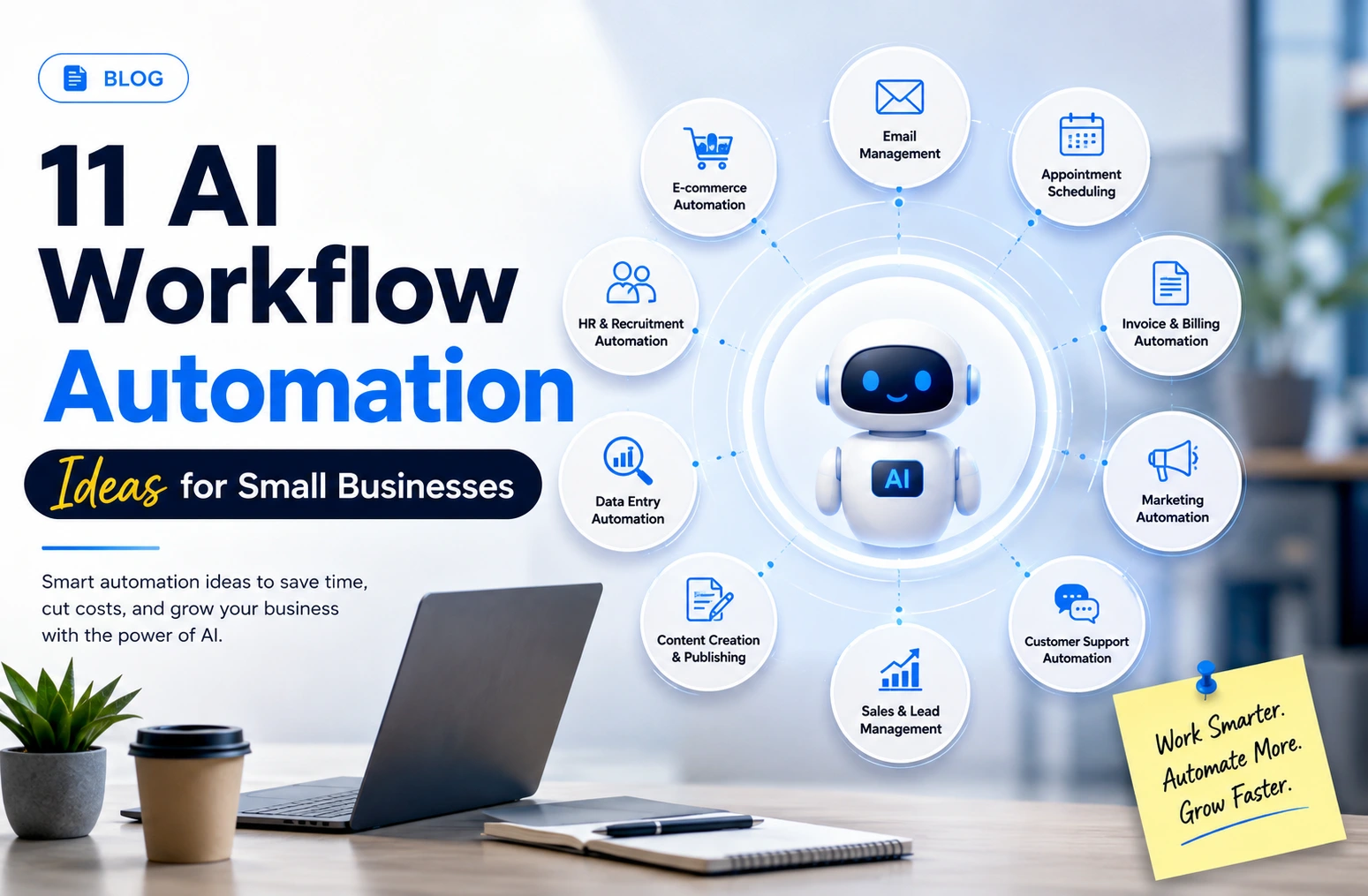
11 Practical AI Workflow Automation Ideas for Small Businesses
Here are 11 practical AI workflow automation ideas for small businesses with example workflows:
1. Qualify and Route New Leads Automatically
Small businesses often receive leads through forms, email, chat, and social channels. Manually reviewing each enquiry slows response times and can cause high-intent prospects to be missed.
AI workflow automation can analyse lead details, assess fit and urgency, assign a score, and route the enquiry to the right person.
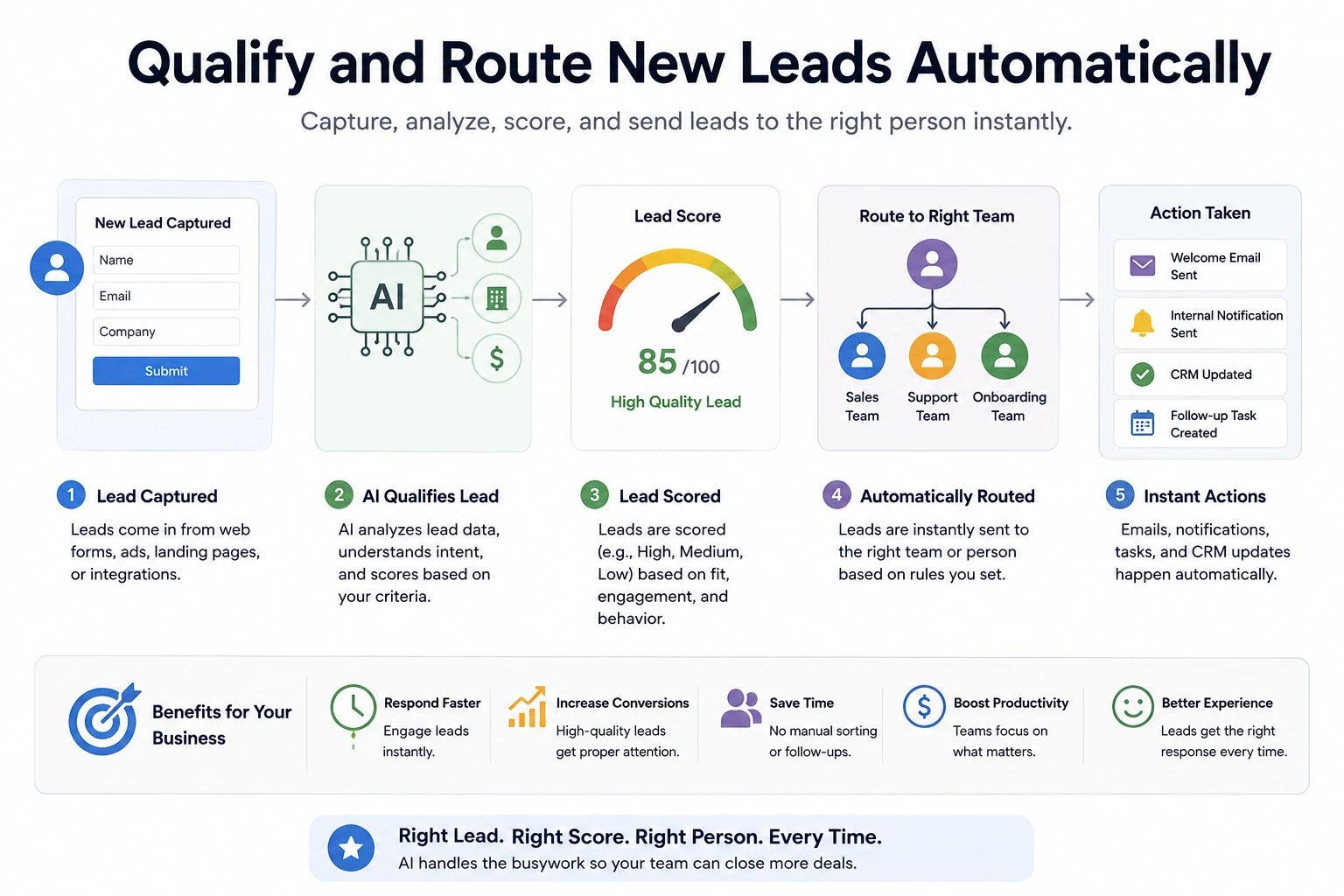
Example workflow:
Form submitted -> AI analyses budget, requirements, urgency, and intent -> lead is scored -> CRM record is created or updated -> qualified leads are assigned to sales -> salesperson receives an alert -> lower-priority leads enter a nurture sequence.
High-value or unclear leads should still be reviewed manually.
2. Recover Missed Calls Before the Lead Contacts a Competitor
For many small businesses, a missed call can mean a lost lead, especially when customers are comparing several providers and expect a quick response.
AI workflow automation can respond immediately, collect basic details, identify the enquiry type, and help the prospect book a callback without waiting for a staff member.
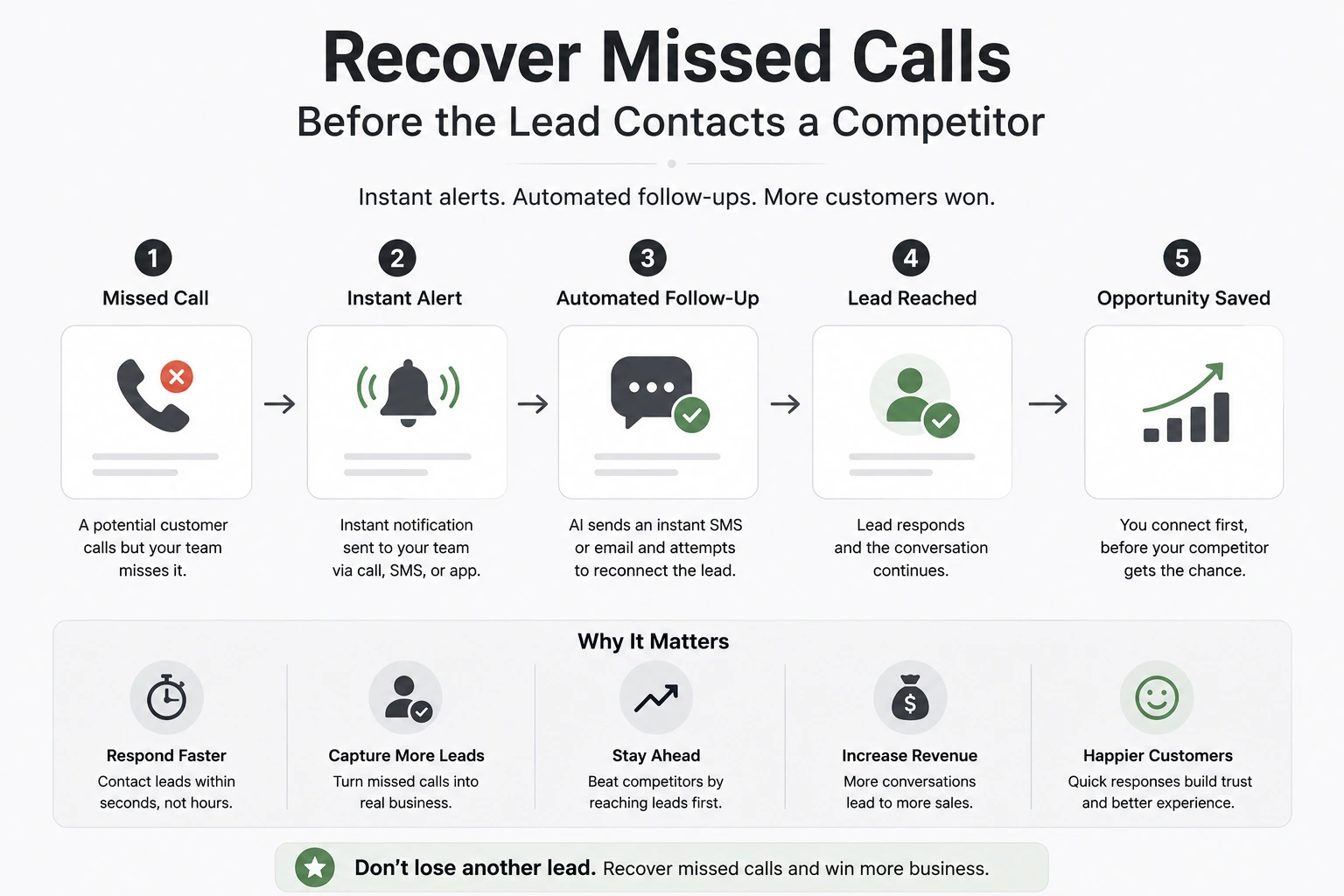
Example workflow:
Call is missed -> automated SMS or WhatsApp message is sent -> AI asks what the customer needs -> response is classified by urgency and service type -> lead is added to the CRM -> callback or appointment is scheduled -> relevant employee is alerted.
Complex, sensitive, or high-value enquiries should still be handled personally.
3. Turn Sales Calls Into CRM Updates and Follow-Up Tasks
Sales representatives often delay CRM updates after calls or enter incomplete notes, making it harder to track commitments, objections, and next steps.
AI workflow automation can analyse the call transcript, extract key details, update the relevant CRM fields, and create follow-up tasks automatically.
Example workflow:
Sales call ends -> transcript is generated -> AI extracts requirements, objections, decisions, and next steps -> CRM record is updated -> follow-up tasks are created with deadlines -> draft email is prepared -> salesperson reviews and sends it.
The salesperson should verify critical details, especially pricing, commitments, and deal-stage changes.
4. Generate Quotes From Customer Enquiries
Preparing quotes manually requires employees to review enquiry details, check pricing, identify missing information, and create a document. This can delay responses and increase the risk of errors.
AI workflow automation can extract requirements from the enquiry, compare them with approved pricing data, flag missing details, and prepare a draft quote for review.
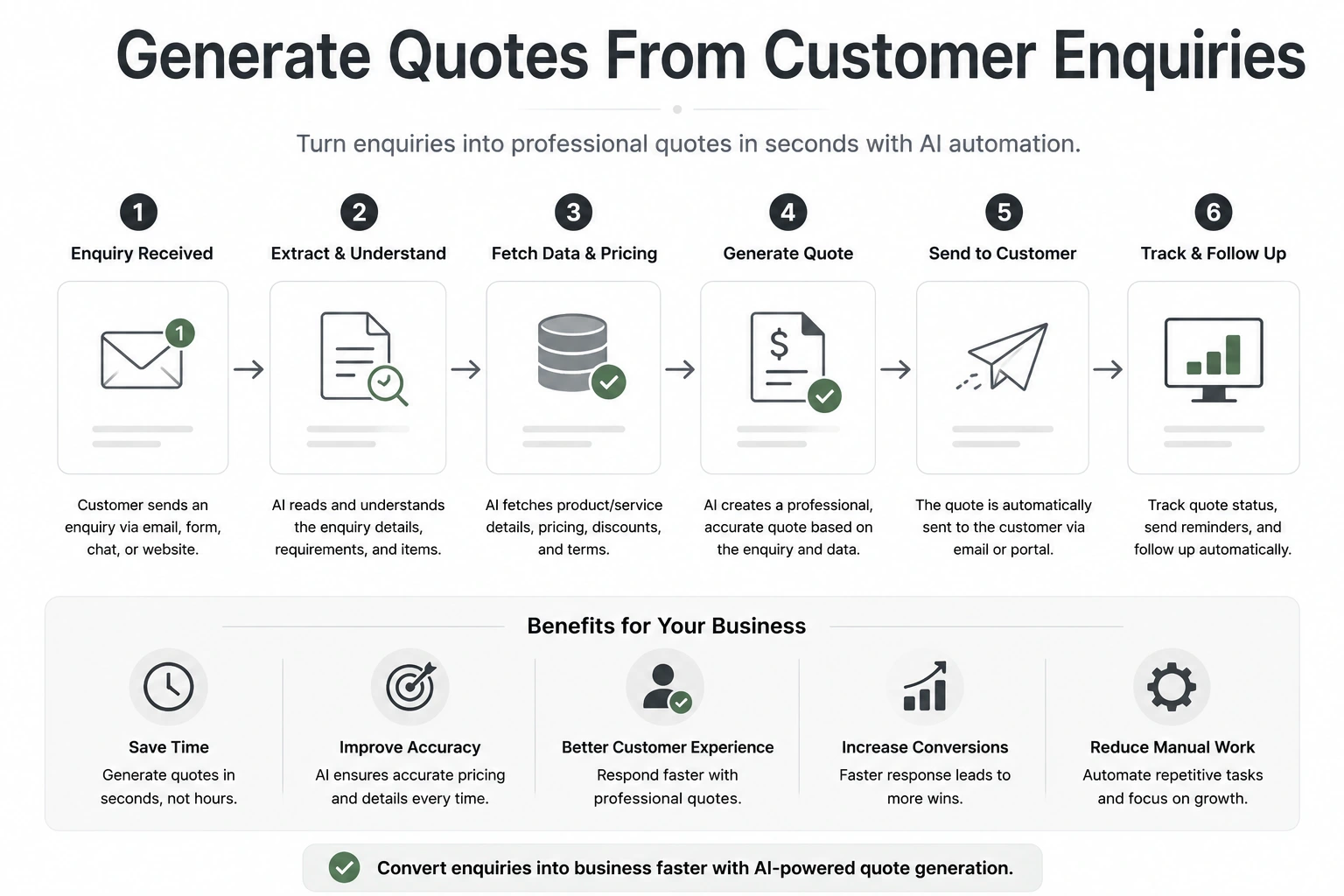
Example workflow:
Customer submits an enquiry-> AI extracts product, quantity, specifications, location, and deadline-> workflow checks the pricing database-> missing information triggers a follow-up request-> draft quote is generated-> employee reviews pricing, scope, and delivery terms-> approved quote is sent to the customer.
5. Follow Up on Stale Quotes and Estimates
Small businesses can lose potential sales when sent quotes receive no follow-up. Manually tracking every pending estimate is time-consuming, and opportunities may be forgotten as new enquiries arrive.
AI workflow automation can identify quotes that have received no response, prepare a personalised follow-up based on the original enquiry, and remind the salesperson to take action.
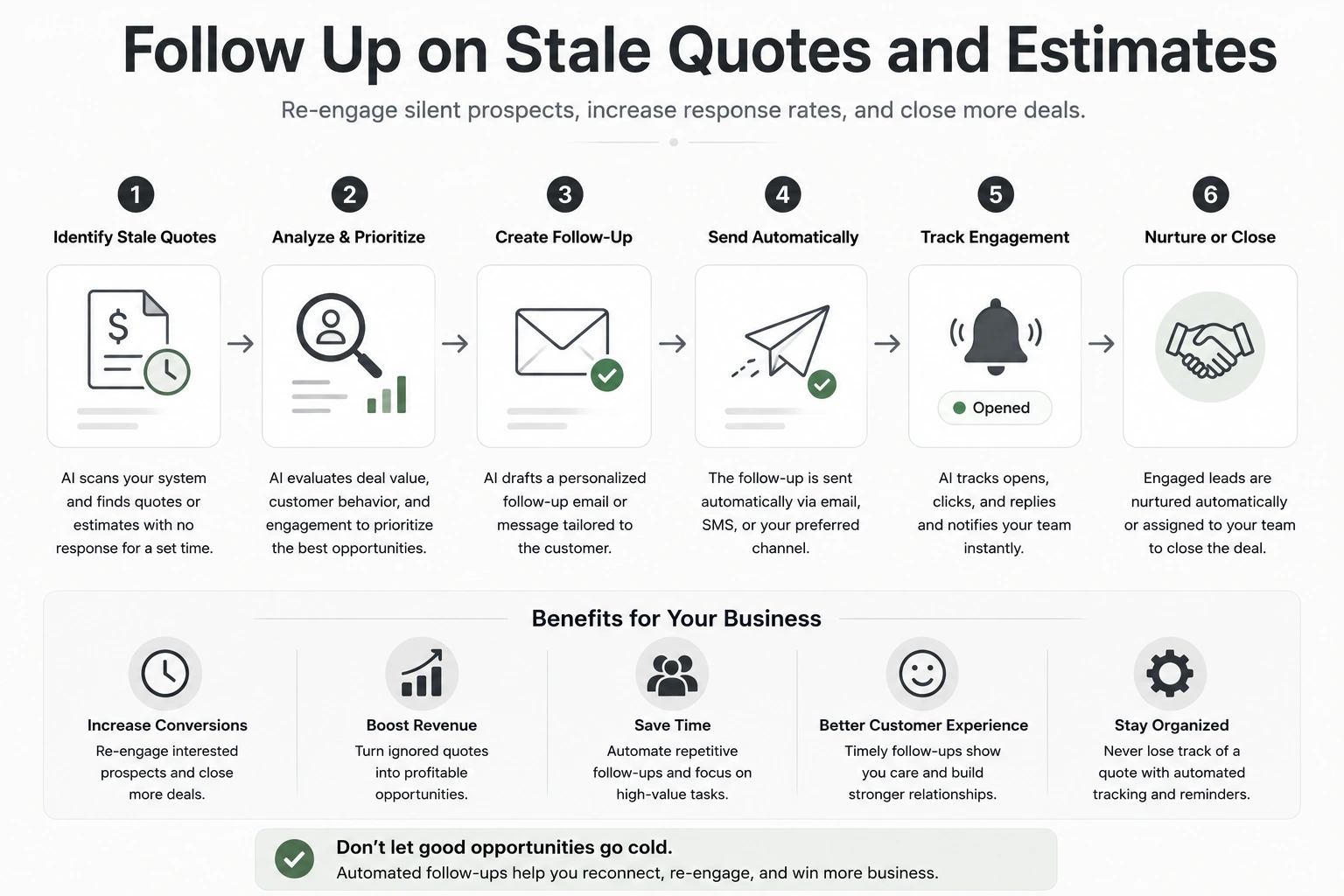
Example workflow:
Quote is sent -> no response is recorded within a predefined period -> workflow retrieves the quote and previous conversation -> AI drafts a relevant follow-up message -> salesperson reviews and sends it -> CRM status and next follow-up date are updated.
6. Detect Negative Reviews and Trigger Service Recovery
Negative reviews can damage trust, especially when a small business responds slowly or misses them entirely. Manual monitoring across review platforms also becomes difficult as the business grows.
AI workflow automation can detect negative sentiment, identify the issue raised, alert the right employee, and prepare a response for review.
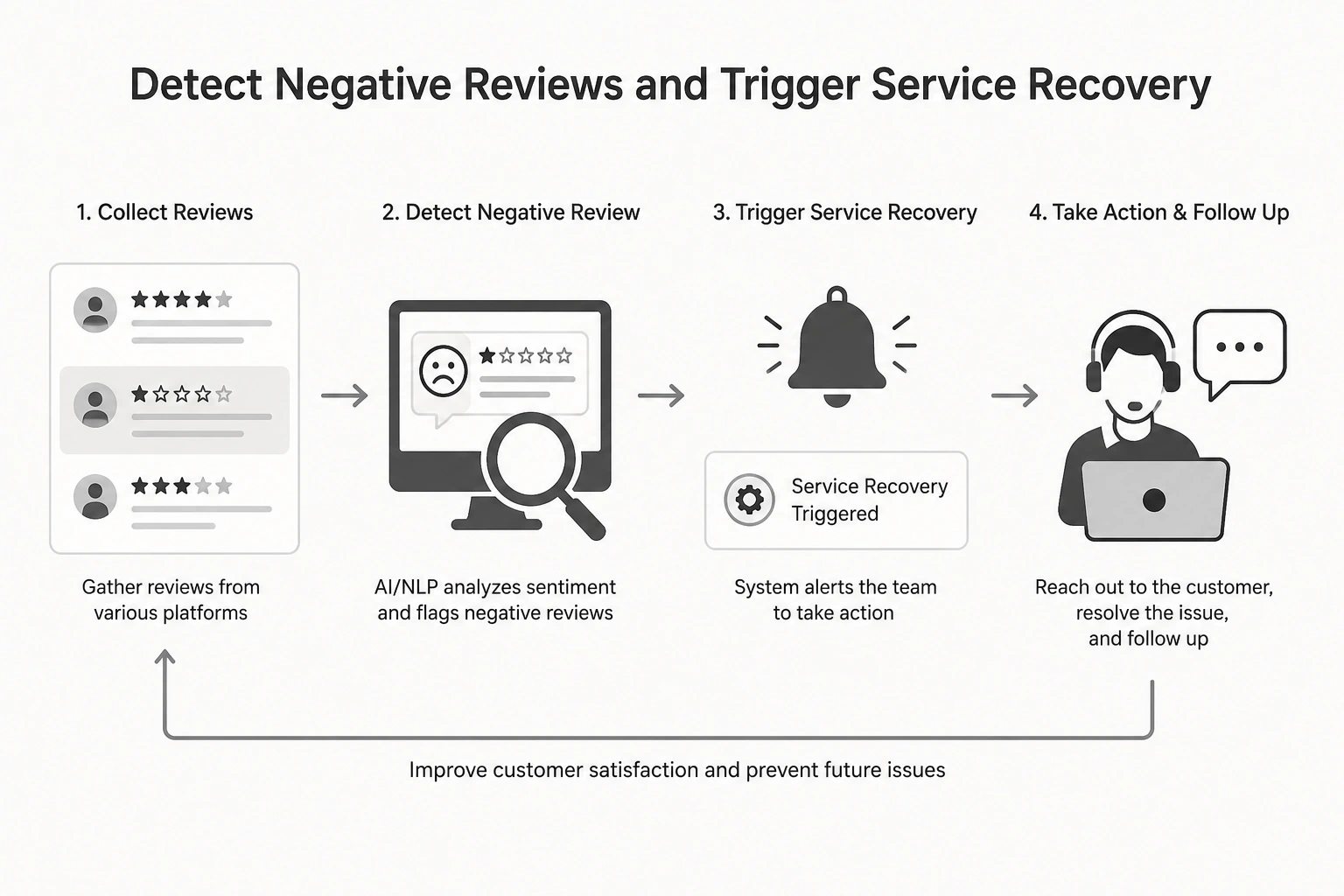
Example workflow:
New review is published-> AI analyses sentiment and complaint type-> low-rated or high-risk reviews trigger an alert-> support ticket is created-> draft response is prepared-> employee reviews and publishes it-> recurring issues are logged for further action.
Serious complaints, legal threats, or compensation requests should always be handled manually.
7. Convert Meetings Into Tasks, Deadlines, and Reminders
Important decisions and action items are often buried in meeting notes, making it easy to miss deadlines or leave responsibilities unclear.
AI workflow automation can analyse the meeting transcript, extract decisions and next steps, assign tasks, and schedule reminders automatically.
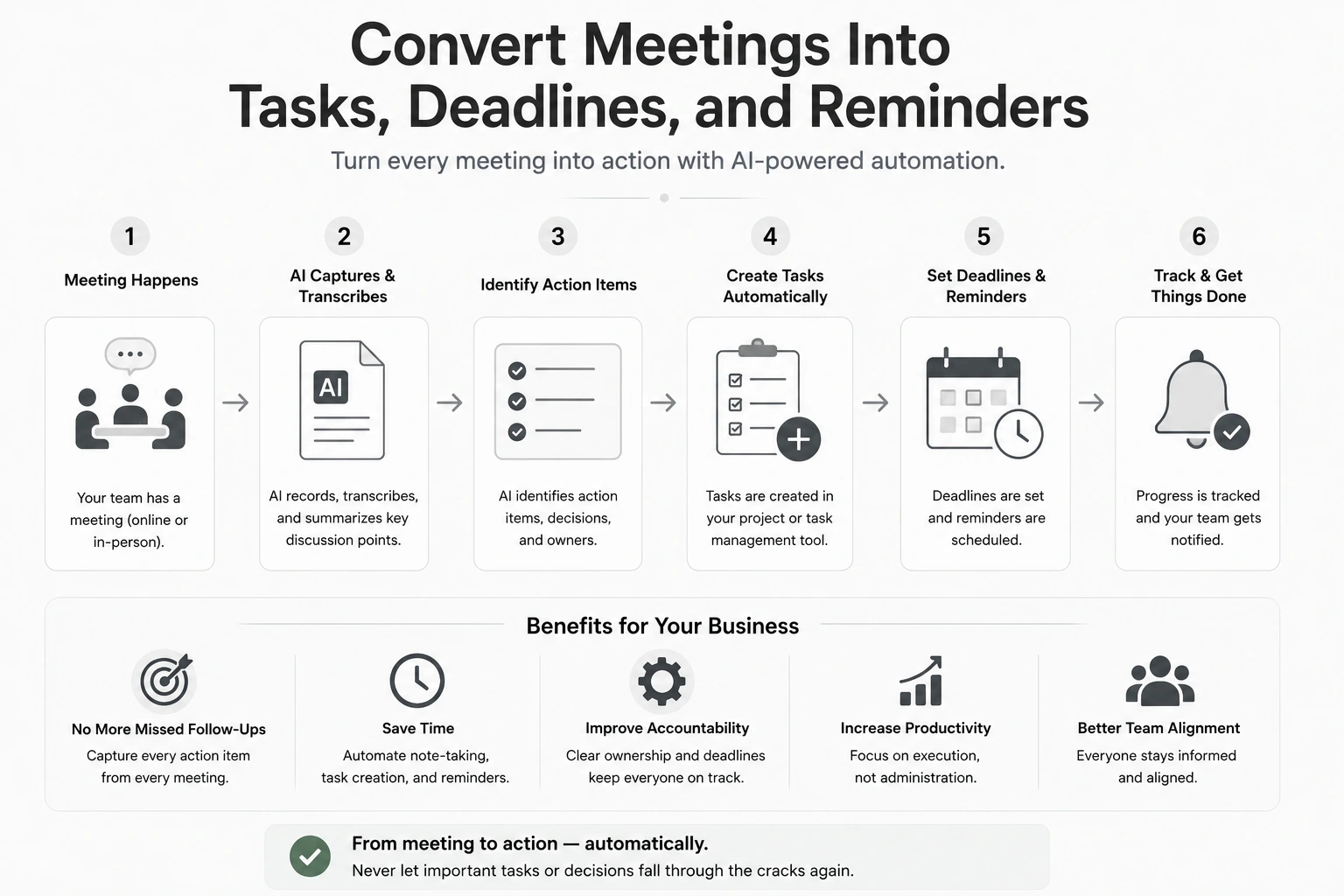
Example workflow:
Meeting ends -> transcript is generated -> AI identifies tasks, owners, and deadlines -> tasks are created in the project management tool -> reminders are scheduled -> meeting summary is shared with participants -> team members review and confirm their responsibilities.
Task owners and deadlines should be checked before the workflow updates shared project plans.
8. Extract Invoice and Receipt Data Automatically
Manually entering invoice and receipt details into spreadsheets or accounting software takes time and increases the risk of errors, duplicate entries, and missed payment dates.
AI workflow automation can read uploaded documents, extract key information, validate it against predefined rules, and update financial records automatically.
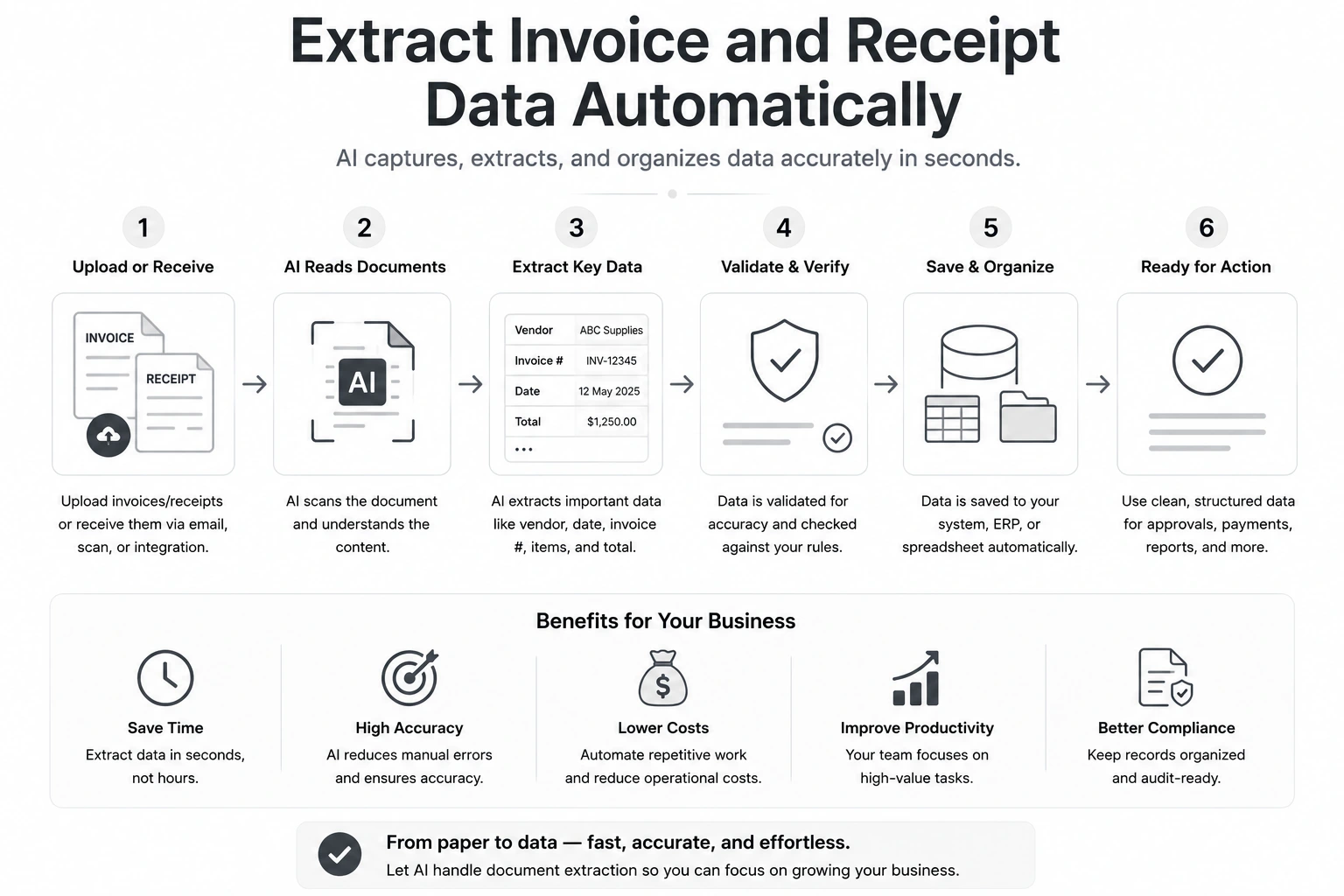
Example workflow:
Invoice or receipt is received-> AI extracts the vendor, date, amount, tax, line items, and payment terms-> workflow checks for duplicates or missing details-> data is added to the accounting system-> exceptions are flagged-> approver receives a notification.
Payments, tax details, and low-confidence extractions should always be verified manually.
9. Collect and Compare Supplier Quotes
Requesting quotes from multiple suppliers and comparing different formats, prices, delivery times, and payment terms can take hours and make important differences easy to miss.
AI workflow automation can collect supplier responses, extract comparable details, organise them in one table, and flag missing information or unusual terms.
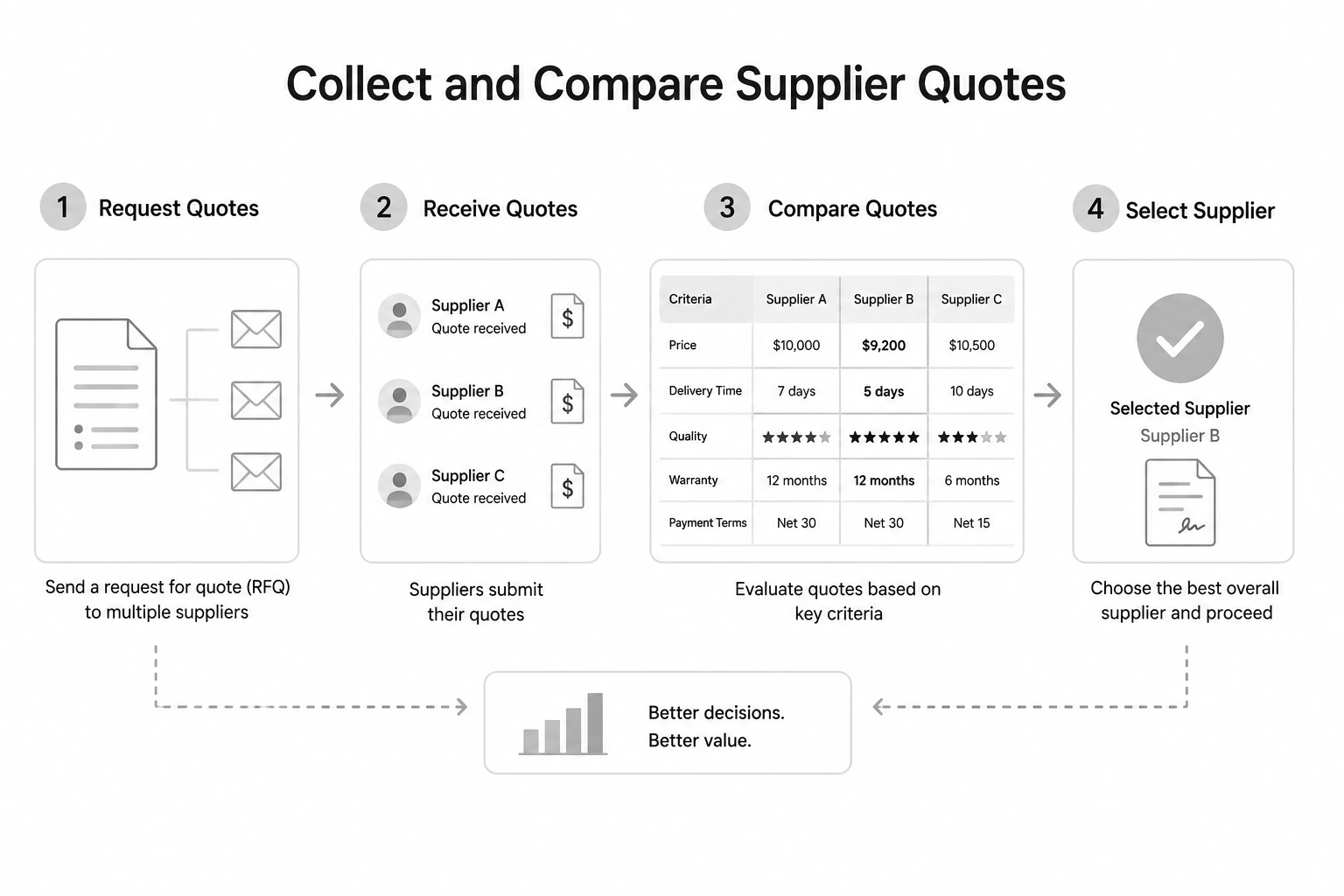
Example workflow:
Purchase request is created-> quote requests are sent to approved suppliers-> responses are received by email-> AI extracts price, lead time, minimum order quantity, and payment terms-> results are added to a comparison table-> missing quotes trigger reminders-> procurement owner reviews the options.
Final supplier selection, contract terms, and quality checks should remain manual
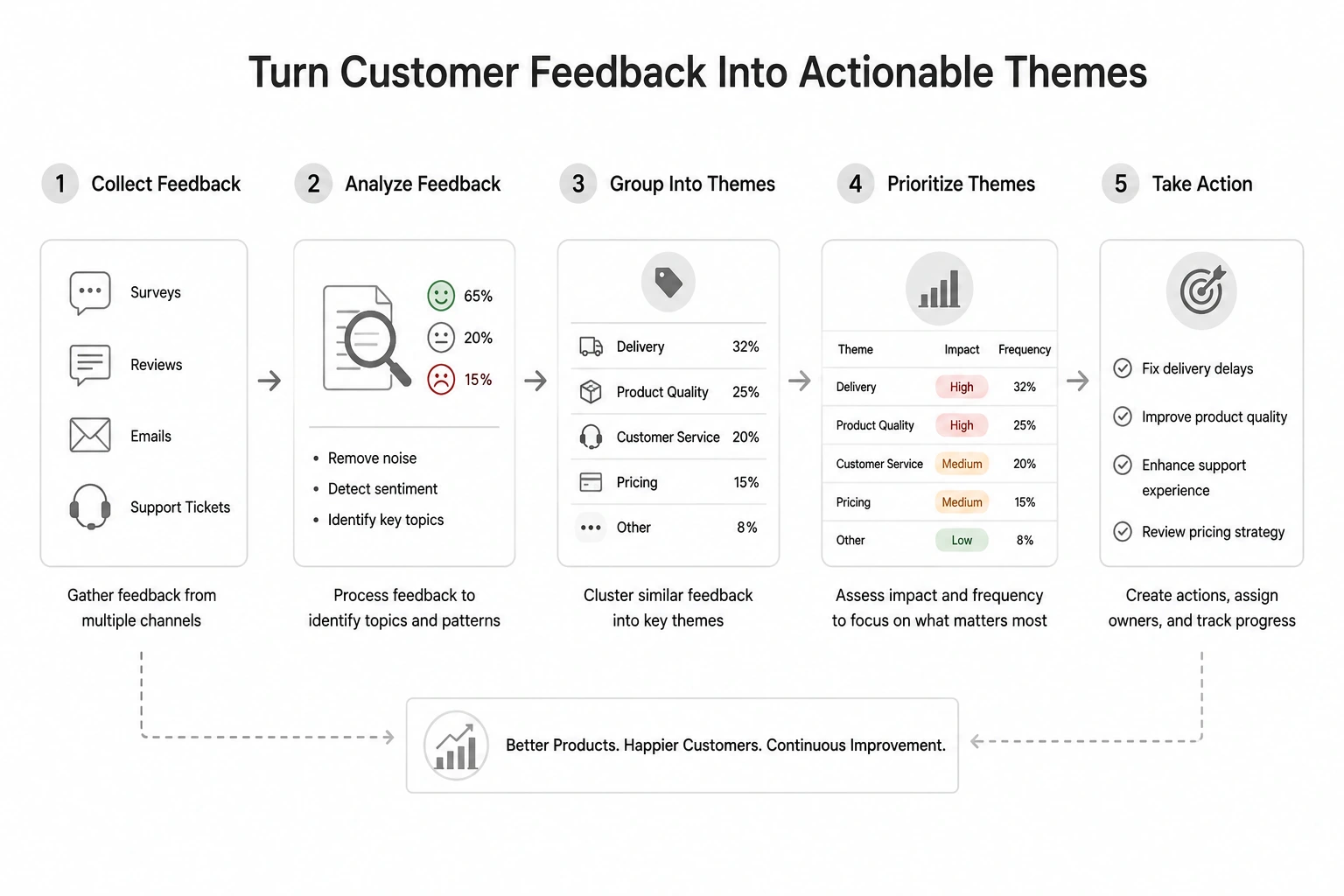
10. Turn Customer Feedback Into Actionable Themes
Customer feedback often sits across surveys, reviews, support tickets, and sales calls. Reviewing it manually makes it difficult to spot recurring problems or understand what customers consistently value.
AI workflow automation can combine feedback from multiple sources, group similar comments, identify common themes, and assign important issues to the right team.
Example workflow:
New feedback is received -> AI identifies sentiment, topic, and recurring keywords -> similar comments are grouped into themes -> high-frequency issues trigger an alert -> summary is added to a shared dashboard -> relevant team receives an action item.
AI-generated themes should be reviewed against the original feedback before product or service decisions are made.
11. Convert Internal Documents Into Standard Operating Procedures
Important processes often remain scattered across notes, emails, training recordings, and employee knowledge. This makes work inconsistent and slows down onboarding.
AI workflow automation can analyse existing internal material, extract the required steps, responsibilities, inputs, and exceptions, and turn them into a structured SOP.
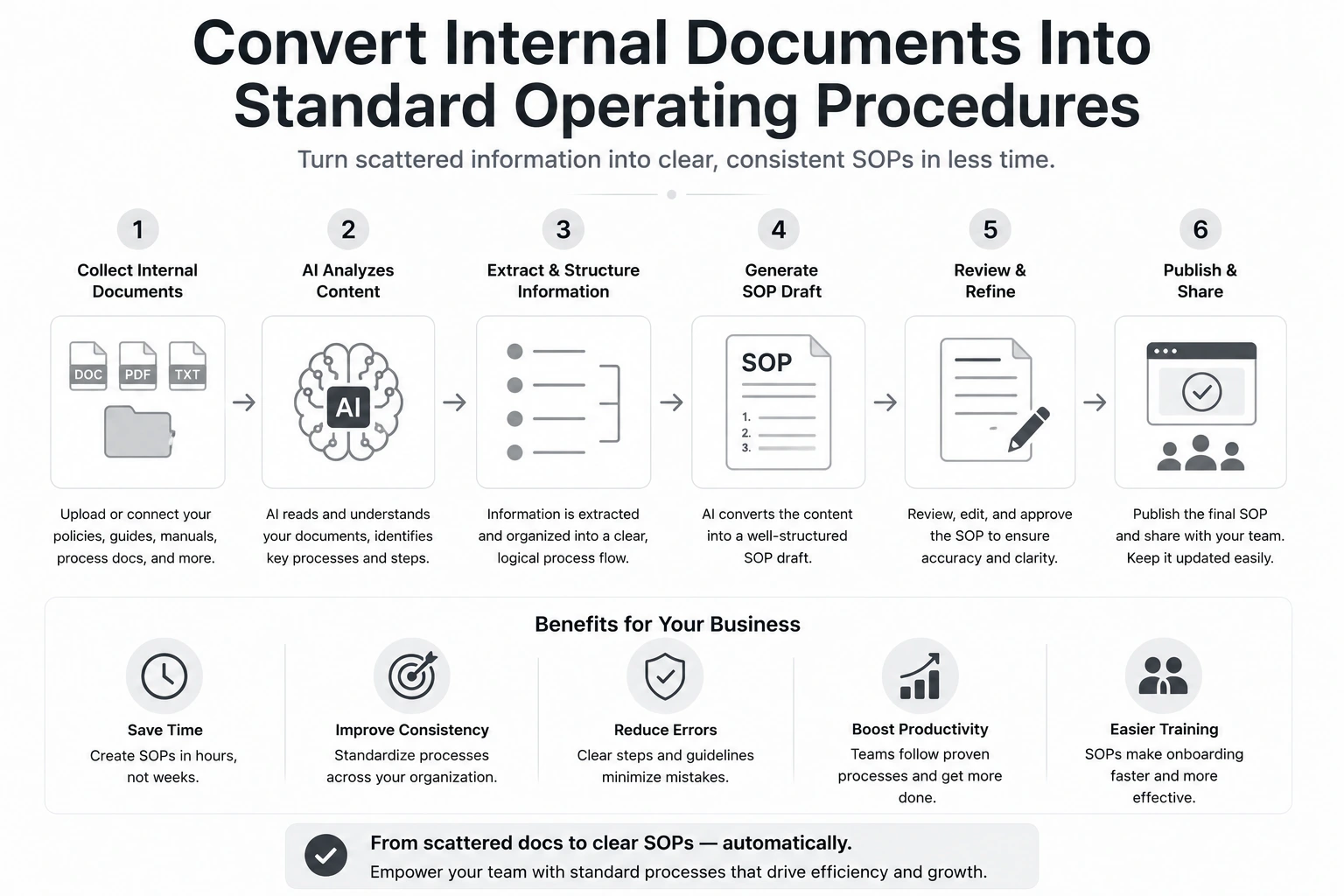
Example workflow:
Document or recording is uploaded-> AI identifies the process steps and responsible roles-> draft SOP is created using a standard template-> process owner receives it for review-> approved version is stored in the knowledge base-> relevant employees are notified.
The employee who performs the process should verify every step before the SOP is published.
How Does Aron Web Solutions Help Create AI-Powered Automated Workflows?
Knowing where AI workflow automation could help is one thing. Building a reliable workflow is another.
You need to choose the right process, map each step, connect the required tools, define where AI should make decisions, add approval points, handle exceptions, and test the workflow with real data.
Without this planning, automation can create more errors, waste money, or make an already inefficient process harder to manage.
Aron Web Solutions helps businesses avoid these problems.
Our AI automation experts identify the right tasks to automate, recommend suitable tools, design the workflow logic, connect your systems, and build the automation from end to end.
The result is a practical AI-powered workflow that reduces repetitive work without sacrificing accuracy, control, or customer experience.
Book a free call to see how Aron Web Solutions can simplify designing AI automation workflows that actually help your business.
Disclaimer: This is not a sponsored or promotional blog post. All recommendations and insights are drawn from our team’s direct experience.
Frequently Asked Questions (FAQs)
Common tools include:
Zapier: Best for small businesses wanting a comparatively accessible no-code interface and broad app connectivity.
Make: Best for visual, multi-step workflows that require branching and greater control.
n8n: Best for technically capable teams that need flexible logic, self-hosting options, or more customised workflows.
Yes. Both platforms connect business applications and automate multi-step workflows, while allowing AI models to analyze information, generate content, or make limited decisions within those workflows.
You can start with a frequent, low-risk task that consumes several hours each week or delays revenue. Examples may include lead follow-ups, meeting-note processing, or invoice data entry.
However, avoid automating sensitive or high-impact decisions first.
Yes. No-code platforms, pre-built templates, and native integrations allow businesses to create many workflows visually.
However, technical help may still be needed for complex logic, custom APIs, security requirements, or workflows connecting several systems.
An AI workflow follows a predefined sequence of triggers, conditions, and actions. For example, adding a new lead to a CRM and sending a follow-up email
An AI agent has greater autonomy to select tools and plan steps, such as researching the lead, prioritising it, and choosing the best follow-up action.