Want to build an amazing website but don’t know how to code?
It’s frustrating to have ideas but feel stuck, overwhelmed by tech, or worried your site will look unprofessional.
Wix solves this. Wix is a no-code website builder with drag-and-drop design, templates, and built-in tools that help you create professional websites within minutes.
And this article is there to help.
Below, we have created a detailed guide that walks you through every step of creating an amazing Wix site– from defining your purpose to choosing a design and publishing your site.
But, before we dive into the step-by-step guide, let’s cover the basics: what Wix is and why it’s worth choosing.
Table of Contents
What is Wix, And Why Choose It?
Wix website builder is a cloud-based platform that allows you to create websites without code. Whether you are new to creating websites or a professional with years of experience, Wix has something great to offer. Here’s why you should choose Wix:
Intuitive Drag-and-Drop Editor
Wix’s drag-and-drop editor gives you the freedom to customize templates seamlessly. For a beginner who can’t code, the Wix site creator allows you to pick a design and drop it into the layout exactly where you want it. You can move elements, images, and adjust visuals by clicking and dragging.
The best part? You can see your changes in real time. Click “Preview” at the top-right to view your site, then select “Back to Editor” to return and make edits.

Huge Library of Customizable Templates
Wix has 900+ customizable templates for diverse industries, including e-commerce, blogging, restaurants, real estate, travel, education, and health and wellness.
Based on your specific needs, you can change colors, layouts, fonts, etc, to build a website that talks for your brand. If you want to create a fully responsive website that functions seamlessly across different platforms, try responsive templates on Wix Studio.
Reliable Hosting & Security
Wix offers reliable website hosting and free SSL certificates, which encrypt and secure all data shared between your site and visitors. It has cloud-based hosting, automatic backups, and robust protection against cyber attacks.
The platform’s user-friendly design makes managing these features easy, and it also ensures automated updates and compliance with privacy regulations.
Advanced SEO & Marketing Tools
Wix site maker offers a complete suite of SEO and marketing tools to improve your website’s visibility.
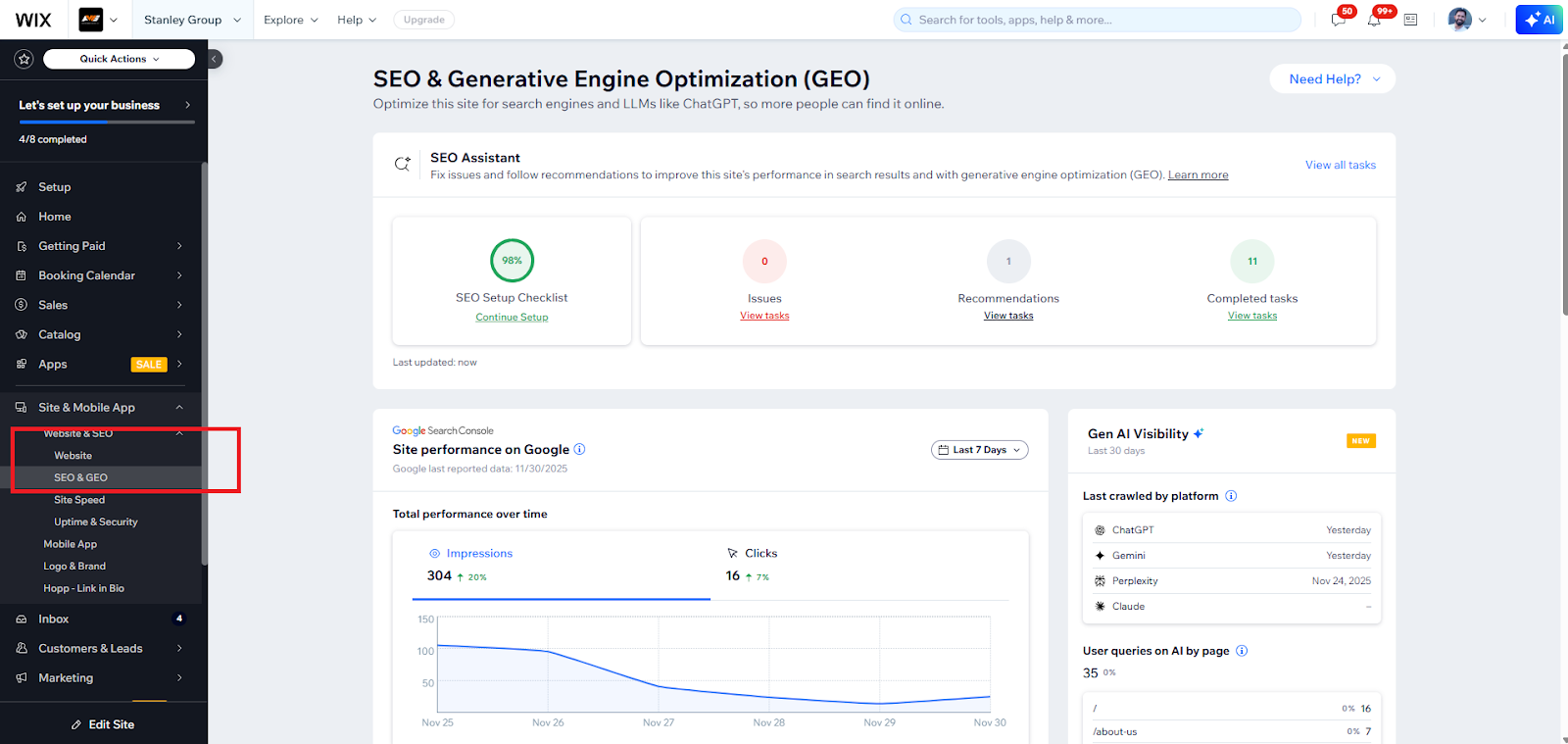
Within the SEO panel, Wix has a built-in AI SEO Assistant that runs a quick on-page audit and provides suggestions to help you optimize each page for search engines.
With Wix, you can customize title tags, meta descriptions, canonical tags, URL slugs, and URL structure, or use the default provided by the platform.

Mobile Optimization
Mobile traffic accounts for nearly 55-60% of global website visits; therefore, making your website mobile-friendly is no longer optional. Wix allows you to customize your site exactly the way you want. It ensures your users get the experience you intend.
And that’s not all. Beyond these features, Wix offers several other advantages worth exploring if you’re searching for the best website builders online.
Now that we’ve covered the basics, let’s move on to the first step of creating your website on Wix.
Step 1: Define Your Purpose
Before you begin building your website, ask yourself what your primary objective is. Do you want to sell products, share your personal journey, or provide information?
In simple terms, decide whether you’re creating an e-commerce website, a personal blog, or something like a school/educational website.
Establishing your aim and vision will help you choose the right platform, template, and features on Wix.
For example, if you’re new to Wix and building a personal blog or hobby site, it’s best to start with the classic Wix Editor, as Wix Studio’s advanced features can overwhelm you without professional help.
What Basic Branding Elements Do You Need to Get Started?
Here are the key elements you should consider:
- Website name: Give your website a unique name that distinguishes you from your competitors.
- Colors: Colors evoke emotions in your users, so make sure you choose your brand colors thoughtfully. You can try tools like Khroma to explore and test colors that fit your brand.
- Logo: Create a simple design that represents your brand. Your logo should be timeless and easy to recognize and remember.
- Images: Prepare photos or graphics for your homepage, About page, and Services page to give a personalized touch to your website.
Need a logo that truly represents your brand? Contact a Reliable Logo Designer Today!
Step 2: Create an Account and Select your Builder
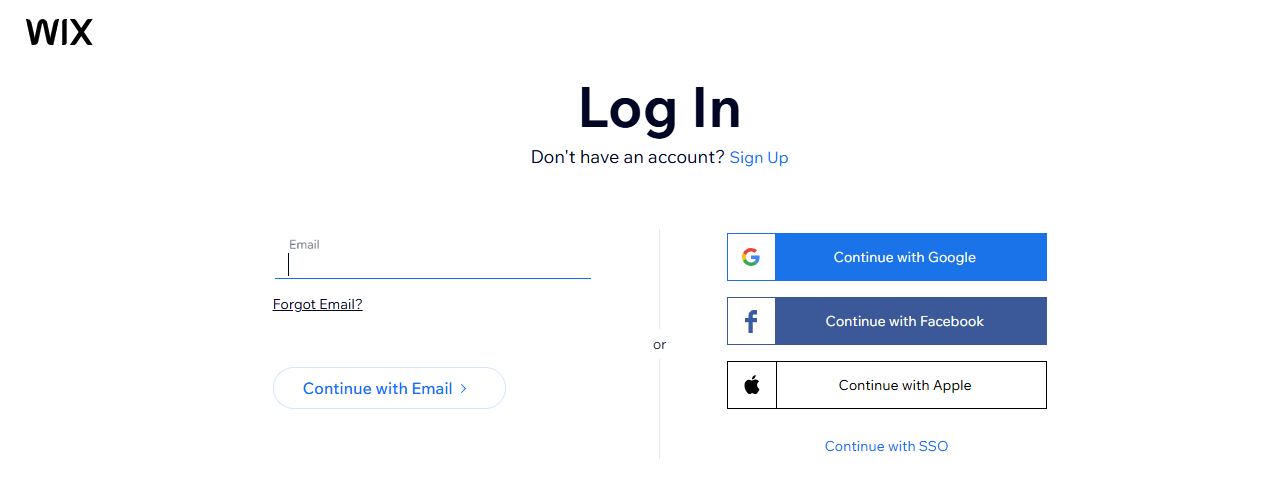
Setting up your account is pretty simple. Click “Get Started” on the homepage and sign in to your Wix account using your email and password.

Now, based on your level of expertise and the amount of control you want, you can choose the website builder that suits you best. Here’s a quick comparison table to help you decide:
| Wix Builder / Feature | Wix AI Website Builder | Wix Editor | Wix Studio |
|---|---|---|---|
| Best For | Perfect for beginners who want to create a website quickly. Wix’s AI assistant asks a few questions, and based on your responses, it builds the site for you. | It gives you control and flexibility through its drag-and-drop feature, allowing you to customise your design to your specific needs. | It works best for experienced professionals, agencies, and enterprises that want to create more complex and advanced designs for their businesses. |
| Customization | Automated customization generated by AI | Flexible visual customization for mobile and desktop, you can also leverage some AI features for text, images, and layouts | Full customization, including complex animations, Figma imports, and highly responsive designs |
| Templates | Automatically generated by AI | 900+ templates to choose from | Advanced design options, supports importing custom designs |
| Coding / Advanced Development Skills | No coding knowledge is required | Completely optional, Velo by Wix for HTML, CSS, JavaScript | Supports custom code and advanced enterprise-level development |
| Built-in Tools | Main pages (home, service, contact), business apps, and content are included automatically by AI | AI text creator, image creator, layout tools, marketing/business apps | Full suite of collaborative and design tools for agencies |
| Ease of Use | Extremely simple and beginner-friendly | Moderate learning curve; best for non-designers (if you are familiar with simple design tools like Canva, you will have an advantage here) | Advanced, designed for experienced designers and development teams |
| Cost / Trial | Free trial available | Free account/trial available | Geared toward professional/agency plans; trial may vary |
For a beginner, Classic Wix is a great option. However, if you want to create a website quickly just by answering a couple of questions, Wix AI website builder can build a ready-to-publish site in a few minutes. Here is the Reddit user who created 10 websites in just a month using Wix’s AI feature.

Source: Reddit
Quick Tip: Anything built in the classic Wix Editor can’t be transferred automatically to Wix Studio. If you ever want to switch, you’ll need to recreate or manually migrate your site in Studio. So, it’s best to choose the editor carefully based on your specific requirements from the start.
Step 3: Create and Add Webpages
Choose a template from the available categories that best fits your website’s purpose. Then, start brainstorming and visualizing how your website should look, adding web pages one by one.
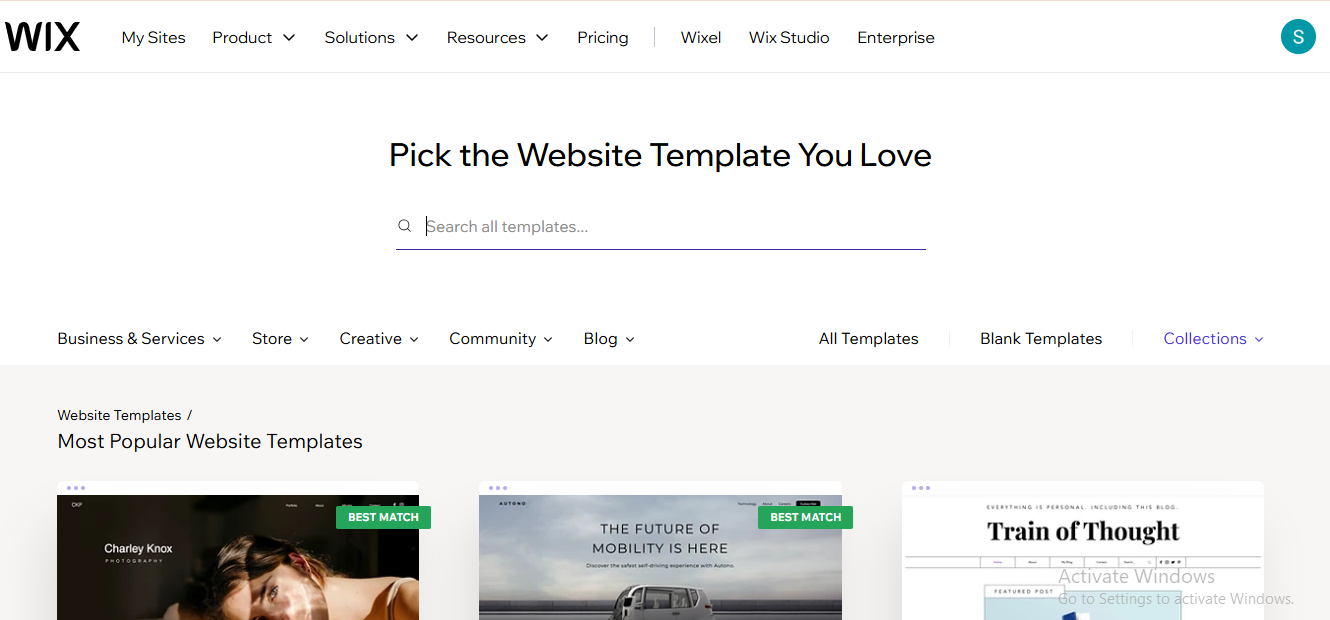
Begin with primary pages like the homepage, contact page, and about page. Use the “Add Section” menu on the left side of the dashboard to include additional pages or sections (such as services or portfolio pages) as needed. Then drag to rearrange and adjust spacing, margins for a clean layout.

Besides, you can include an FAQ section to address common queries of your audience. This will help you build trust and clear expectations for your brand.
As your website and customer base grow, adding a testimonials or reviews page can further strengthen credibility by showcasing star ratings and written feedback from real customers.
Step 4: Start Designing Your Website
Nearly 48% of users form their opinion of a website from its design. That’s why it’s essential to invest time and effort into choosing the right design and layout for your site.
How do you pick the right design? Conduct thorough research, gather unique ideas, observe the strategies your competitors are using, and make a list. For inspiration, browse Pinterest, Instagram, or similar platforms to help you brainstorm.
Once you’ve gathered your ideas, focus on the core elements of your design:
- Visuals, images, and effects: Use these thoughtfully so they support and highlight your content instead of overpowering it. For example, use clean and subtle images instead of too many flashy graphics.
- Navigation menu: The menu serves as the website’s map that guides users to find what they are looking for. It reflects your website’s goals and influences whether users stay or leave. Therefore, it is crucial to keep it simple, easy to navigate, and well-organized. See our menu on the home page as a reference.
- Colors and hues: Avoid overwhelming visitors with multiple colors and contrasts. Choose one primary color and use the others as secondary colors to create a rich, harmonious look. For example, Aron Web Solutions uses orange for energy and creativity, paired with black for sophistication and professionalism.
Step 5: Build and Organize Your Content
Content is the soul of any website. Take your time to create engaging, conversion-focused, and well-structured copy that communicates effectively with your audience. After all, search engines prioritize content that helps users find the right information.
To make your content SEO-optimized, you can add titles, meta titles, and headings (H1, H2, and H3) to organize your content properly.
Try to understand user intent and naturally incorporate the keywords people search for. And don’t worry; you don’t have to handle everything on your own.
Wix’s SEO features can help you optimize the content, making it more Google-friendly and increasing your chances of ranking higher.
Need a professional writer who can create content that converts? Contact us today!
Step 6: Connect a Domain and Hosting
Your domain name is what your audience sees after “www.” It’s your online address that helps establish your identity on the internet. Here is how you can choose a professional and strong domain name:
- Keep your domain name simple and short: A short, straightforward domain name is easier to remember and spell.
- Avoid symbols or numbers: Adding special characters or numbers can make your domain confusing for both users and search engines.
- Relevant to what you do: Choose a name that reflects the purpose of your website. For example, if you’re selling healthcare products, you might use a name like HealthBloom.
To connect a domain, click on “Setup” in the Wix dashboard, enter your preferred domain name in the domain connection panel, and then click “Let’s Go.”

Explore and compare the different Wix packages, and register your domain for at least one year, or claim a free domain with a Wix premium plan.

Once you purchase a Wix premium plan, hosting is automatically activated for your website. Web hosting provides space on a server where your documents, files, and content are stored, allowing your site to stay live 24/7.
It is not mandatory to purchase a domain from Wix. If you already have a domain or prefer to buy one from another provider, such as GoDaddy, go to “Settings” > “Domains” > “Connect a Domain” (that you already own).
With the essential setup complete, you can now move on to testing and publishing your site.
Step 7: Test and Publish Your Website
This step is essential to ensure your site is ready for visitors. After completing the previous steps, click the “save” > “Preview” option to see how your website appears to users.
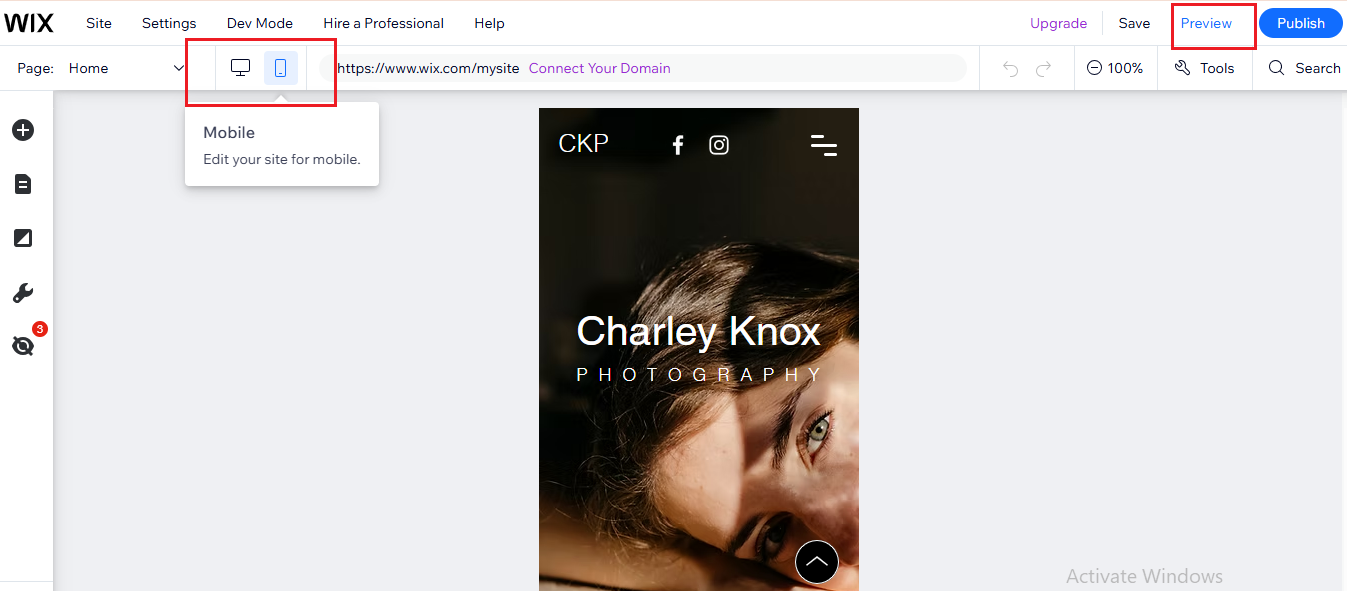
Carefully review the layout and cross-check all content for spelling, grammar, and clarity. Test every button, link, form, and page to confirm they function correctly. It’s also a good idea to check how your site looks on both desktop and mobile devices.
Once everything works as expected, go ahead and publish your website. After publishing, give search engines time to discover your site. Continue monitoring whether Google is indexing your pages and make updates as needed to improve visibility.
Mistakes to Avoid (Based on Real User Insights)
1.
Most Wix users skip checking how their website appears on both desktop and mobile. Since more than half of all web traffic comes from mobile devices, it’s crucial to preview your site on both screens before you finalize the design. Below is a user who emphasizes why this step shouldn’t be ignored.

Source: Quora
2.
A lot of users rush through the setup and pick a template too quickly. You can’t change the template later in the process, so it’s important to decide carefully what you want for your website from the start. Below is a real user insight from Quora who experienced the same issue.

Source: Quora
3.
Many small business websites fail because they don’t guide visitors on what to do next. A strong user experience should clearly tell users what to do, where to go, and what to expect. Below is a Quora user insight that reinforces how easily visitors get lost when clear direction is missing.

Source: Quora
4.
Overcrowded layout and confusing navigation make it hard for visitors to locate information. Keep navigation simple by reducing menu items, using clear labels, and offering a search bar for easy access.
5.
No matter how good your website looks, if it’s missing essential SEO practices, it won’t rank or perform well. Make sure your content is optimized, and your website is SEO-friendly. Below is what a real Reddit user has to say about Wix SEO.

Source: Quora
Conclusion
Wix is an ideal choice for beginners looking to create their first website. From a large template library to AI features, Wix offers everything needed to build a great site. Now that you’ve learned enough about Wix, give it a try and start creating your first website.
However, if you want to save time and create a high-performing website using advanced features, consider getting help from an experienced agency like Aron Web Solutions.
We’re here to help you turn your website into a source of revenue. All you need to do is book a free consultation.