Before you launch your website, it’s important to make sure the user experience is ready. If your site is slow, confusing, or hard to navigate, visitors may leave quickly without exploring what you offer.
This can lead to lost engagement and missed opportunities. To avoid this, you need to check the essential UX elements before going live.
This User Experience Basics Checklist helps you ensure your website is clear, fast, and easy to use so your visitors can have a smooth and positive experience. Before jumping into the checklist, let’s first understand what user experience (UX) means.
Table of Contents
What is User Experience?
User experience (UX) refers to how users feel when they interact with your product, service, or website. It includes factors such as how easily they can navigate the site, how quickly pages load, and how well the layout helps them find information. In simple terms, user experience reflects the overall quality and ease of interaction a person has with what you offer.
According to the research, 80% of customers are willing to pay extra for a positive customer experience. This highlights how strongly user experience can influence customer behavior and your business success.
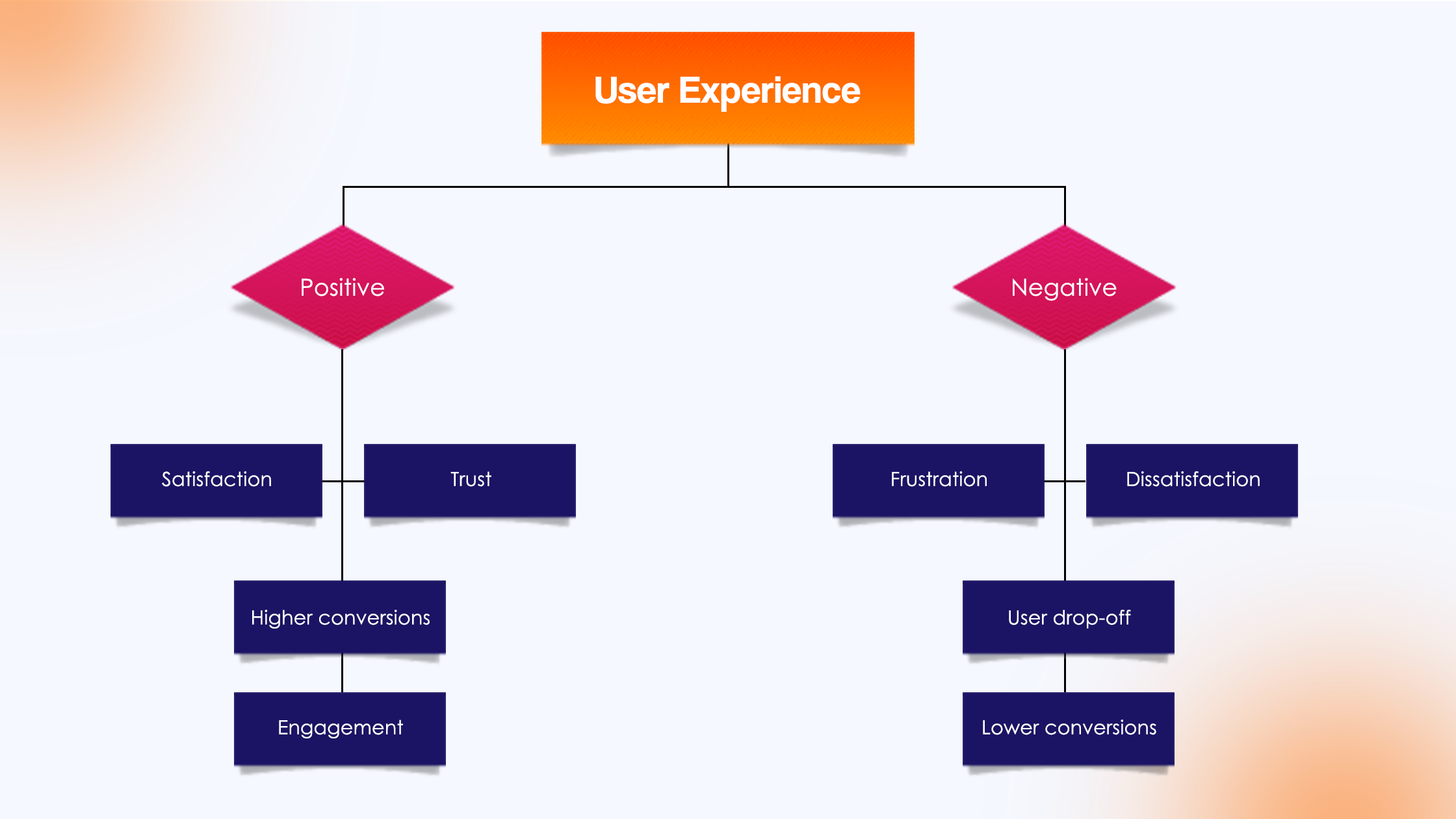
A well-designed user experience brings higher satisfaction, trust, and engagement. On the other hand, a poor user experience often results in frustration, dissatisfaction, and users leaving the product or service.
User Experience Basics Checklist Before Launch
Before launching a website, it is important to ensure that the core user experience elements are properly implemented. The following checklist highlights some of the essential UX factors that should be reviewed before a website goes live.
Clear Website Structure

A clear website structure helps users understand how information is organized on your site. Content should be grouped logically into categories and subcategories so visitors can easily find what they are looking for. A well-structured website also improves usability and helps search engines crawl and index pages more effectively.
Simple and Intuitive Navigation
Navigation should allow users to move through the website quickly and without confusion. Menus should be clearly labeled, consistent across pages, and limited to essential options. Intuitive navigation reduces cognitive effort for users and enables them to locate important pages such as services, products, or contact information with minimal clicks.
Below is a Quora user highlighting a similar viewpoint on user experience.

Source: Quora
Mobile Responsiveness
A large percentage of users access websites through smartphones and tablets. Mobile responsiveness ensures that the website automatically adjusts to different screen sizes and devices. Responsive design improves usability, readability, and interaction for mobile users, which is essential for maintaining engagement and reducing bounce rates.
Fast Website Loading Speed
Website speed plays a critical role in user experience. Slow-loading pages can frustrate users and cause them to leave before the content even appears. Optimizing images, reducing unnecessary scripts, and using efficient hosting services can significantly improve loading times and create a smoother browsing experience.
Clear Call-to-Action (CTA)
A call-to-action guides users toward the desired action on a website, such as signing up, purchasing a product, or contacting the business. Effective CTAs should be visible, concise, and placed strategically on pages. Clear instructions help users understand what to do next and improve conversion rates.
Readable and Scannable Content
Users rarely read every word on a webpage; instead, they scan for key information. Content should be organized with headings, short paragraphs, bullet points, and clear fonts to improve readability. Scannable content allows users to quickly grasp the main ideas and find relevant information.
Accessibility for All Users
Websites should be designed so that people with disabilities can also access and use the content. Accessibility includes features such as alt text for images, proper color contrast, keyboard navigation, and screen reader compatibility. Designing for accessibility ensures inclusivity and improves the overall usability of the website.
Trust and Credibility Signals
Trust signals help users feel confident about interacting with your website. These may include customer reviews, testimonials, security badges, privacy policies, contact information, and professional design. When users perceive a website as trustworthy, they are more likely to engage with its services or make purchases.
Proper Error Handling
Users may encounter errors such as broken links or incorrect form entries. Proper error handling ensures that clear and helpful messages guide users on how to correct the problem. For example, well-designed error pages or form validation messages prevent confusion and help users continue their tasks smoothly.
Website Testing Before Launch
Before launching a website, thorough testing is essential to identify and fix usability issues. This includes checking links, testing forms, verifying responsiveness across devices, and ensuring compatibility with different browsers. Testing helps ensure that users experience a smooth, functional, and reliable website from the first visit.
When to Consider a Professional UX Audit
A professional UX audit helps identify usability issues that may prevent users from interacting effectively with a website or digital product. Businesses should consider conducting a UX audit when they notice problems such as high bounce rates, low conversion rates, or negative user feedback. These indicators often suggest that users are struggling to navigate the website or complete important actions.
It is also beneficial to perform a UX audit before a major website redesign or after launching a new product or feature. This allows user experience interaction designers and developers to evaluate whether the interface meets user needs and follows usability best practices.
Additionally, if analytics show that users abandon forms, shopping carts, or key pages frequently, a UX audit can help uncover the reasons behind these behaviors. Regular UX audits ensure that the website continues to provide a smooth, accessible, and efficient experience, ultimately improving user satisfaction and business performance.
Here is a quick review table:
| Situation | Why Consider a UX Audit | Expected Benefit |
|---|---|---|
| High bounce rates | Indicates users may not find the content or navigation helpful | Improves engagement and page interaction |
| Low conversion rates | Users may struggle to complete key actions like sign-ups or purchases | Optimizes conversion paths and user flows |
| Negative user feedback | Suggests usability problems or confusion in the interface | Identifies issues affecting user satisfaction |
| Before a website redesign | Helps understand current usability problems | Guides better design decisions |
| After launching a new product or feature | Evaluates whether the interface meets user needs | Ensures features work effectively for users |
| High form or cart abandonment | Indicates friction during important steps in the user journey | Improves form usability and checkout flow |
| Regular UX performance checks | Ensures the website remains efficient and accessible | Maintains a smooth, user-friendly experience |
Conclusion
User experience plays a critical role in how visitors interact with your website and whether they choose to stay or leave. By focusing on clear navigation, mobile responsiveness, fast loading speed, and readable content, businesses can create websites that are engaging and easy to use.
Following this checklist before launch helps improve engagement, search performance, and conversions. For businesses looking to enhance their website’s usability and performance, Aron Web Solutions provides professional UX design and optimization services that support better user experiences and long-term business growth.
Frequently Asked Questions
User experience (UX) refers to how users interact with and feel about a website, application, or product. For example, an e-commerce website with clear navigation, fast loading pages, and a simple checkout process provides a positive user experience because visitors can easily find and purchase products.
UX focuses on the overall experience a user has while interacting with a website or product, including usability, accessibility, and functionality. UI (User Interface) refers to the visual elements such as buttons, layouts, colors, and typography that users interact with. While UX focuses on how a system works, UI focuses on how it looks.
User experience plays an important role in SEO because search engines prioritize websites that provide a smooth and helpful experience for users. Factors such as page speed, mobile responsiveness, clear navigation, and engagement signals like time on page can influence search rankings.
You can improve user experience by simplifying navigation, optimizing website speed, making the design mobile-friendly, improving content readability, and ensuring accessibility for all users. Regular UX testing and feedback can also help identify areas that need improvement.
A UX designer focuses on improving how users interact with digital products such as websites or mobile apps. Their work includes user research, wireframing, usability testing, and optimizing design elements to create a smoother and more intuitive experience.
Mobile responsiveness ensures that a website automatically adapts to different screen sizes and devices. Since a large portion of users access websites through smartphones, responsive design improves readability, navigation, and overall usability.